AlgoWay Blog
Guides, manuals and platform references.
Core
- All articles
- FAQ
- PineConnector alternative
- TradersPost alternative
- Automate TradingView alerts
- Automate Telegram signals
- AlgoWay CopyTrader
- cTrader Copier
- TrendSpider with AlgoWay
- How to Automate a TradingView Indicator with Dynamic SL/TP and 1% Risk on MT5
JSON & Alerts
- JSON schema
- Manual alerts
- TradingView without paid subscription
- AlgoWay Strategy Integration in Pine Script
- Python Trading Bot Webhook Integration
- TRALADAL - TradingView Alert Adapter
- TradingView Order Action Alert
- How to use Clone Mode
MT5 / Expert Advisors
Errors
Integrations
- MetaTrader 5
- Tradovate
- TradeLocker
- cTrader
- Match-Trader
- DXtrade
- Capital.Com
- Binance
- Bybit
- MEXC
- OKX
- Bitget
- Hyperliquid
- BingX
- Alpaca
- Interactive Brokers
- Gate.io
- Coinbase
- TooBit
- WEEX
- ProjectX
- Rithmic
Other Publications
- MT5 EA Webhook JSON Reference
- OANDA MT5 with AlgoWay
- Buy Webhook via Buy Me a Coffee
- AlgoWay vs PineConnector
- Compare AlgoWay with other trading automation tools
- AlgoWay Red News Filter
- Why Paid Trading Indicators Avoid Verifiable Backtests
- How Trade Automation Tools Mislead You
- utomating a Prop-Firm Eval End to End:
- ATP Premium Indicator Testing Bot
- Why TradingView Backtests Win but Live Trades Lose
- Best Prop Firms for Trading Automation and Telegram Signal Copy in 2026
- Four AIs, One Trader, and the Strange Case of TradingView to Alpaca
- TradingView Automation
AlgoWay Strategy Lab
Pine Script Higher-Timeframe Alerts Without Repainting
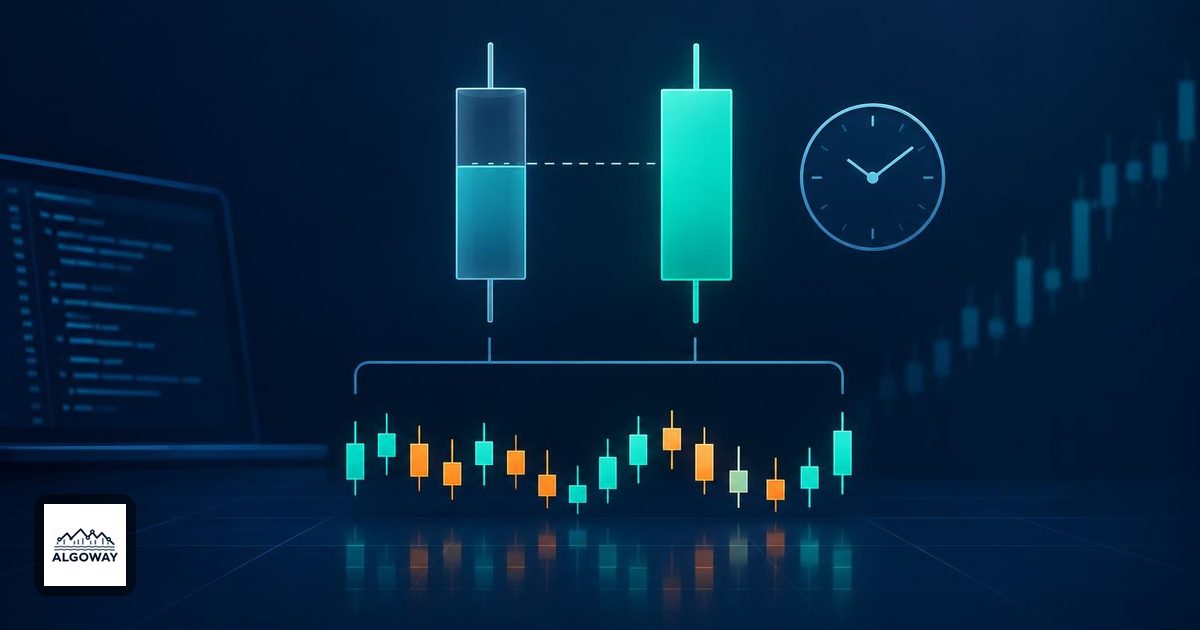
A five-minute bar can be finished while the hourly value inside your Pine script is still changing. Choosing Once Per Bar Close for an alert closes the first door, not both. If the condition uses the developing hourly candle, a signal can fire during the hour and disappear from the chart after recalculation.
For TradingView alert automation, decide whether the higher timeframe is a live estimate or a completed observation. In an AlgoWay TradingView-to-MT5 workflow, make that decision before connecting the signal to execution. A later chart revision is not an instruction to undo an order that was already sent.
Two clocks, two different confirmations
Suppose a five-minute chart requests the close of the current hourly candle. At 10:25, the five-minute candle has closed, but the 10:00 hourly candle still has 35 minutes to go. Its latest price can sit above a threshold at 10:25 and below it at 11:00. Waiting for the small candle did not settle the large one.
TradingView documents that higher-timeframe requests can return unconfirmed values in real time. After a restart, those former realtime bars are historical, and the calculation may no longer reproduce the values observed while the higher-timeframe candle was open. See its repainting explanation.
barstate.isconfirmed checks confirmation in the chart context when used in your chart-level condition. It is not a shortcut for confirming another timeframe, and TradingView explicitly says it does not work inside a request.security() call. The bar-state reference distinguishes these contexts.
Request the previous completed higher-timeframe value
The documented pattern pairs an offset inside the requested expression with barmerge.lookahead_on. For example, request.security(syminfo.tickerid, "60", close[1], lookahead = barmerge.lookahead_on) requests the previous hourly close. The offset is evaluated in the hourly context, so it means one hourly bar, not one five-minute bar.
Keep those two pieces together. Lookahead without the offset can expose a completed higher-timeframe value too early on historical bars. Moving [1] outside the call instead shifts the returned chart series; it is not the same instruction. TradingView explains the pairing in its higher-timeframe request documentation.
For an indicator calculation, request the calculation in the higher-timeframe context too. An hourly moving average is not an average of repeated hourly values sampled on five-minute bars. The same previous-bar principle applies to the requested expression.
What the delay actually looks like
Consider this illustrative schedule on a continuously trading symbol with hourly boundaries at the top of the hour. These are clock examples, not measured alert-delivery times.
| Chart observation | Latest completed hourly candle | Value used by the confirmed request |
|---|---|---|
| 10:25, five-minute close | 09:00 to 10:00 | The 10:00 hourly closing value |
| 10:55, five-minute close | 09:00 to 10:00 | The same completed value |
| 11:00, new hourly interval starts | 10:00 to 11:00 | The newly completed hourly value becomes available on the new interval |
| 11:05, first five-minute close of that interval | 10:00 to 11:00 | A chart-bar-close condition can now act on that value |
The last row matters: with this pattern and a five-minute close requirement, an hourly update does not imply an alert exactly at 11:00. The script's execution schedule and alert rule still matter. Sessions, missing bars and different timeframe alignments can change the simple timetable above.
The tradeoff is deliberate. You give up acting on the forming hourly value in exchange for using a value that was already available when the decision was made. TradingView's timeframe FAQ presents confirmed higher-timeframe data as a way to avoid historical and realtime inconsistencies. It does not turn the resulting strategy into a profitable one.
A stable filter can still produce repeated entries
Write the intended event in plain language. “The last completed hourly close is above 100” is a state. “That completed close has just moved from at or below 100 to above 100” is a transition. If the state remains true for twelve five-minute bars, evaluating it at each close can create twelve opportunities to send an alert.
Choose whether the higher-timeframe rule merely permits separate lower-timeframe entries, triggers one event when it changes, or permits one entry per higher-timeframe interval. These are different strategies. Confirmation does not choose between them. For unwanted repeats, continue with the duplicate-alert diagnosis.
Check the signal before reconnecting execution
- Use a requested timeframe strictly higher than the chart timeframe for this pattern. Reject equal or lower inputs instead of silently treating them as the same problem.
- Record the completed higher-timeframe value and the chart bar on which your rule first uses it. Compare observations before and after a chart reload.
- Check chart-level inputs too. A confirmed hourly filter does not freeze a still-forming five-minute price used elsewhere in the entry condition.
- Choose an alert condition and frequency that match the intended state or transition. Pine code defines alert events; an active alert must still be created in TradingView.
- Recreate affected alerts after changing the script, inputs or chart context. TradingView alerts use a saved copy, as described in its alert documentation and our alert-update guide.
This check addresses one specific source of repainting. Feed revisions and other script logic can still change a chart. Keep the actual alert timestamp as evidence, then investigate any remaining difference through the backtest-versus-live checklist. A historical marker is a reconstruction; an alert log records the event your automation had to act on.
