AlgoWay Blog
Guides, manuals and platform references.
Core
- All articles
- FAQ
- PineConnector alternative
- TradersPost alternative
- Automate TradingView alerts
- Automate Telegram signals
- AlgoWay CopyTrader
- cTrader Copier
- TrendSpider with AlgoWay
- How to Automate a TradingView Indicator with Dynamic SL/TP and 1% Risk on MT5
JSON & Alerts
- JSON schema
- Manual alerts
- TradingView without paid subscription
- AlgoWay Strategy Integration in Pine Script
- Python Trading Bot Webhook Integration
- TRALADAL - TradingView Alert Adapter
- TradingView Order Action Alert
- How to use Clone Mode
MT5 / Expert Advisors
Errors
Integrations
- MetaTrader 5
- Tradovate
- TradeLocker
- Match-Trader
- DXtrade
- Capital.Com
- Binance
- Bybit
- MEXC
- OKX
- Bitget
- Hyperliquid
- BingX
- Alpaca
- Interactive Brokers
- Gate.io
- Coinbase
- TooBit
- WEEX
- ProjectX
- Rithmic
- cTrader logic
Other Publications
- MT5 EA Webhook JSON Reference
- OANDA MT5 with AlgoWay
- Buy Webhook via Buy Me a Coffee
- AlgoWay vs PineConnector
- Compare AlgoWay with other trading automation tools
- AlgoWay Red News Filter
- Why Paid Trading Indicators Avoid Verifiable Backtests
- How Trade Automation Tools Mislead You
- utomating a Prop-Firm Eval End to End:
- ATP Premium Indicator Testing Bot
- Why TradingView Backtests Win but Live Trades Lose
- Best Prop Firms for Trading Automation and Telegram Signal Copy in 2026
- Four AIs, One Trader, and the Strange Case of TradingView to Alpaca
- TradingView Automation
AlgoWay Strategy Lab
How to Connect TrendSpider Alerts to AlgoWay with Webhook Automation
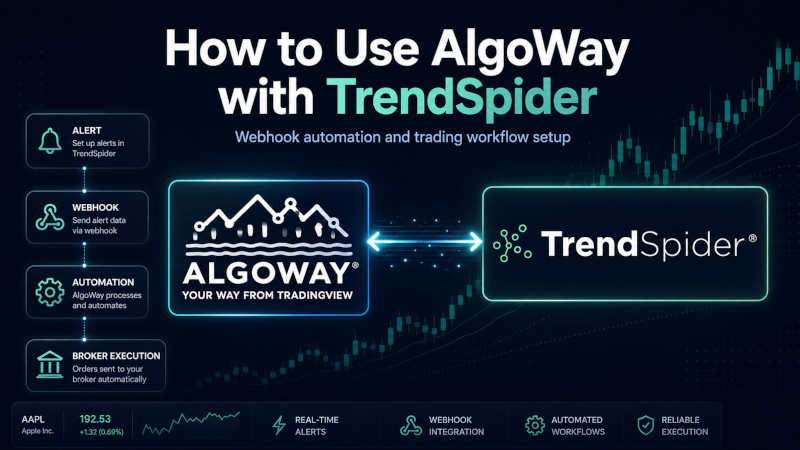
AlgoWay can receive TrendSpider webhook alerts and route them to supported execution platforms such as MetaTrader 5, TradeLocker, Match-Trader, DxTrade, cTrader, ProjectX, Tradovate, Alpaca, Binance, Bybit, Bitget, BingX, Coinbase and other destinations. TrendSpider sends the alert or Strategy Bot payload, AlgoWay parses the JSON, and the selected platform receives the trading command.
This guide covers the complete TrendSpider-to-AlgoWay workflow, including Standard Alerts, Strategy Bots, webhook JSON, placeholders, platform routing, testing and troubleshooting.
The practical route is:
TrendSpider alert or Strategy Bot -> AlgoWay webhook URL -> AlgoWay JSON routing -> broker, exchange or trading platformTrendSpider creates the signal. AlgoWay receives the webhook. The destination platform executes or rejects the command according to account, symbol, quantity, session and platform rules.
Last updated: 2026-05-12 • Author: AlgoWay
Quick Answer: TrendSpider to AlgoWay Webhook Automation
To connect TrendSpider to AlgoWay:
- Create a webhook route in AlgoWay for your destination platform.
- Copy the AlgoWay webhook URL.
- Open TrendSpider Standard Alert or Strategy Bot settings.
- Paste the AlgoWay webhook URL into the webhook URL field.
- Paste one valid AlgoWay JSON body into the alert note, description or bot webhook body.
- Use TrendSpider placeholders such as
%alert_symbol%,%bot_symbol%and%last_price%where needed. - Use separate BUY and SELL alert bodies when TrendSpider does not provide trade direction automatically.
- Trigger a small test alert.
- Check AlgoWay Webhook Logs and the destination platform response.
Basic BUY payload for a TrendSpider Standard Alert:
{
  "platform_name": "metatrader5",
  "ticker": "%alert_symbol%",
  "order_contracts": 1,
  "order_action": "buy",
  "price": "%last_price%",
  "comment": "TS:%alert_name%"
}
TrendSpider Standard Alerts vs Strategy Bots
TrendSpider has two important webhook workflows. They should not be treated as the same setup.
| TrendSpider workflow | Webhook behavior | AlgoWay setup note |
|---|---|---|
| Standard Alerts | Send the alert message/note body to the configured webhook URL. | Use separate alert messages for BUY, SELL and FLAT because standard alerts do not automatically know trading direction. |
| Strategy Bots | Can have separate Entry Webhook URL/Body and Exit Webhook URL/Body. | Use entry body for buy or sell, and exit body for flat. |
This is the core difference. Standard Alerts are excellent for dynamic alerts, multi-factor alerts and technical events. Strategy Bots are better when the TrendSpider workflow explicitly separates entry and exit events.
Before You Start
Prepare the following:
- AlgoWay account;
- active AlgoWay webhook route;
- destination platform configured in AlgoWay;
- TrendSpider account with alerts or Strategy Bots available;
- TrendSpider alert condition or bot logic;
- AlgoWay webhook URL;
- one valid JSON body per alert or bot event;
- small test size for first execution.
What TrendSpider Sends
TrendSpider webhooks use HTTP POST requests. For Standard Alerts, the webhook body is based on the text you put into the alert description, note or message field. If that body is valid JSON, the receiving side can parse it as JSON.
For Strategy Bots, TrendSpider provides a separate webhook setup for entry and exit behavior. That means you can set different payloads for entry and exit instead of forcing one generic alert message to do everything.
For AlgoWay, this means:
- one TrendSpider webhook body should contain one JSON object;
- the JSON must include
platform_nameandorder_action; - BUY and SELL standard alerts should be separate if the alert itself does not supply direction;
- Strategy Bot Entry body should send the entry action;
- Strategy Bot Exit body should usually send
flat.
TrendSpider Placeholders
TrendSpider placeholders are replaced when the alert or bot fires. Use them to keep the JSON dynamic.
Standard Alert Placeholders
| Placeholder | Meaning | AlgoWay use |
|---|---|---|
%alert_name% |
Alert name. | Useful in comment. |
%alert_symbol% |
Alert symbol. | Useful in ticker. |
%alert_note% |
Alert note. | Useful only if your workflow intentionally reuses notes. |
%price_action_event% |
Price action event description. | Useful for logs, not usually for order action. |
%last_price% |
Last price when the alert fired. | Useful in price. |
Strategy Bot Placeholders
| Placeholder | Meaning | AlgoWay use |
|---|---|---|
%bot_name% |
Strategy Bot name. | Useful in comment. |
%bot_symbol% |
Bot symbol. | Useful in ticker. |
%bot_timeframe% |
Bot timeframe. | Useful in comments and logs. |
%bot_status% |
Bot status. | Useful in comments and diagnostics. |
%last_price% |
Last price when the bot fired. | Useful in price. |
buy or sell placeholder. Use separate alerts or separate JSON bodies for BUY and SELL.
AlgoWay JSON Schema for TrendSpider
AlgoWay expects a structured JSON object. The common fields are:
| Field | Required | Example | Purpose |
|---|---|---|---|
platform_name |
Yes | metatrader5 |
Target execution platform route. |
ticker |
Yes | %alert_symbol% |
Symbol or instrument name. |
order_action |
Yes | buy, sell, flat |
Entry, direction or close action. |
order_contracts |
Yes for entries | 1 |
Position size, lot size, contracts or quantity depending on destination. |
price |
No | %last_price% |
Tracking price for logs and comparison. |
comment |
No | TS:%alert_name% |
Log label for debugging. |
Common platform_name Values
Use the platform_name that matches your AlgoWay route.
| Platform | platform_name |
|---|---|
| MetaTrader 5 | metatrader5 |
| TradeLocker | tradelocker |
| Match-Trader | matchtrader |
| DxTrade | dxtrade |
| cTrader | ctrader |
| Capital.com | capitalcom |
| Alpaca | alpaca |
| Tradovate | tradovate |
| ProjectX | projectx |
| Binance | binance |
| Bybit | bybit |
| OKX | okx |
| Bitget | bitget |
| BingX | bingx |
| Coinbase | coinbase |
| Kraken | kraken |
| KuCoin | kucoin |
Full field reference: AlgoWay JSON schema guide.
TrendSpider Standard Alerts -> AlgoWay JSON Templates
Use Standard Alerts when you want TrendSpider dynamic alerts, multi-factor alerts, trendline events, indicator events or price action alerts to send a fixed action.
BUY Alert JSON
{
  "platform_name": "metatrader5",
  "ticker": "%alert_symbol%",
  "order_contracts": 1,
  "order_action": "buy",
  "price": "%last_price%",
  "comment": "TS:%alert_name%"
}
SELL Alert JSON
{
  "platform_name": "metatrader5",
  "ticker": "%alert_symbol%",
  "order_contracts": 1,
  "order_action": "sell",
  "price": "%last_price%",
  "comment": "TS:%alert_name%"
}
FLAT / Close Alert JSON
{
  "platform_name": "metatrader5",
  "ticker": "%alert_symbol%",
  "order_action": "flat",
  "comment": "TS_EXIT:%alert_name%"
}metatrader5 with your real AlgoWay destination if you use TradeLocker, Match-Trader, DxTrade, ProjectX, Tradovate, Alpaca or a crypto exchange.
TrendSpider Strategy Bots -> AlgoWay Entry / Exit Webhook Bodies
Strategy Bots are stronger for entry/exit automation because the bot webhook settings can separate Entry and Exit webhook bodies.
Long Bot Entry Webhook Body
{
  "platform_name": "metatrader5",
  "ticker": "%bot_symbol%",
  "order_contracts": 1,
  "order_action": "buy",
  "price": "%last_price%",
  "comment": "TSBOT_ENTRY:%bot_name%"
}
Long Bot Exit Webhook Body
{
  "platform_name": "metatrader5",
  "ticker": "%bot_symbol%",
  "order_action": "flat",
  "comment": "TSBOT_EXIT:%bot_name%"
}
Short Bot Entry Webhook Body
{
  "platform_name": "metatrader5",
  "ticker": "%bot_symbol%",
  "order_contracts": 1,
  "order_action": "sell",
  "price": "%last_price%",
  "comment": "TSBOT_SHORT_ENTRY:%bot_name%"
}
Short Bot Exit Webhook Body
{
  "platform_name": "metatrader5",
  "ticker": "%bot_symbol%",
  "order_action": "flat",
  "comment": "TSBOT_SHORT_EXIT:%bot_name%"
}
Fallback with Fixed Ticker
Use a fixed ticker only when your bot setup does not pass a usable symbol variable or when you want a controlled test.
{
  "platform_name": "metatrader5",
  "ticker": "AAPL",
  "order_contracts": 1,
  "order_action": "buy",
  "price": "%last_price%",
  "comment": "TSBOT:%bot_name%"
}
Optional SL/TP and Trailing Fields
Some AlgoWay routes support additional risk fields. Test these fields on small size before using them live.
Entry with Absolute SL/TP Prices
{
  "platform_name": "metatrader5",
  "ticker": "%alert_symbol%",
  "order_contracts": 1,
  "order_action": "buy",
  "price": "%last_price%",
  "sl_price": 192.50,
  "tp_price": 198.00,
  "comment": "TS:%alert_name%"
}
Entry with Distance-Style SL/TP
{
  "platform_name": "metatrader5",
  "ticker": "%alert_symbol%",
  "order_contracts": 1,
  "order_action": "buy",
  "price": "%last_price%",
  "stop_loss": "100",
  "take_profit": "200",
  "comment": "TS:%alert_name%"
}
Entry with Trailing Stop
{
  "platform_name": "metatrader5",
  "ticker": "%alert_symbol%",
  "order_contracts": 1,
  "order_action": "buy",
  "price": "%last_price%",
  "trailing_pips": 20,
  "comment": "TS:%alert_name%"
}Setup Steps: TrendSpider to AlgoWay
- Open AlgoWay and create a webhook for your destination platform.
- Copy the AlgoWay webhook URL.
- Open TrendSpider Standard Alert or Strategy Bot settings.
- Paste the AlgoWay webhook URL into the webhook URL field.
- Paste one JSON template into the alert note, description or Strategy Bot webhook body.
- Use BUY and SELL as separate standard alerts if direction is not provided by TrendSpider.
- Use Entry and Exit webhook bodies for Strategy Bots.
- Start with
order_contracts: 1or the smallest valid platform size. - Trigger the alert or bot event.
- Check AlgoWay Webhook Logs and destination platform logs.
General webhook guide: How webhook automation works with AlgoWay.
Testing and Logs
Always test in layers:
- Validate JSON syntax.
- Send a small TrendSpider alert to AlgoWay.
- Confirm AlgoWay receives the payload.
- Confirm
platform_name,ticker,order_actionandorder_contracts. - Check destination platform response.
- Confirm the broker, exchange or platform accepted the order.
- Test the exit body separately.
Use the comment field to make logs readable:
"comment": "TSBOT_ENTRY:%bot_name%"If AlgoWay receives the webhook but the platform rejects the order, inspect symbol mapping, quantity, account permissions, market session, margin and platform-specific logs.
Common TrendSpider Webhook Problems
Invalid JSON
Use one JSON object, double quotes and no trailing commas. Invalid JSON can be rejected before execution. Read: How to fix AlgoWay webhook Error 415.
Wrong platform_name
The platform_name value must match the AlgoWay route. Do not use metatrader5 if the webhook route is ProjectX or Coinbase.
Standard Alert Has No Direction
Use separate TrendSpider Standard Alerts for BUY and SELL, each with its own fixed order_action.
Strategy Bot Entry Works but Exit Does Not
Check the Exit Webhook URL and Exit Webhook Body. Entry and Exit bodies are separate in Strategy Bot workflows.
Bot Symbol Is Empty or Wrong
If %bot_symbol% is not passed as expected, test with a fixed ticker first.
TrendSpider Sends the Alert but No Trade Opens
Check AlgoWay logs first. If payload was received, check destination platform credentials, EA connection, symbol, quantity, session and order rejection response.
Wrong Size
For MetaTrader 5, size may be lots. For futures platforms, size may be contracts. For crypto exchanges, quantity rules and step size matter.
Exit Sends flat but Position Remains Open
Check whether the ticker matches the open position, whether flat is supported by the route, and whether the position belongs to the same AlgoWay route/account.
TrendSpider to Broker Automation vs TradingView Automation
TrendSpider and TradingView are different signal sources. AlgoWay can work with both when the incoming webhook message is valid JSON and the route is configured correctly.
| Source | Typical placeholders | AlgoWay note |
|---|---|---|
| TrendSpider Standard Alert | %alert_symbol%, %alert_name%, %last_price% |
Use fixed BUY/SELL JSON templates. |
| TrendSpider Strategy Bot | %bot_symbol%, %bot_name%, %bot_status%, %last_price% |
Use Entry and Exit webhook bodies. |
| TradingView Strategy Alert | {{ticker}}, {{strategy.order.contracts}}, {{strategy.market_position}} |
Use TradingView JSON templates. |
Related AlgoWay Guides
- AlgoWay JSON schema guide
- Automate webhook alerts to any broker with AlgoWay
- How to create webhook alerts for AlgoWay
- Manual webhook alerts with AlgoWay
- Webhook automation to MetaTrader 5
- Webhook automation to ProjectX
- Webhook automation to Tradovate
- Webhook automation to Coinbase
- Copy webhook alerts to multiple accounts
Final Summary
TrendSpider can send Standard Alerts and Strategy Bot webhooks to AlgoWay when the body is valid AlgoWay JSON. Standard Alerts are best for fixed BUY, SELL or FLAT actions from dynamic alert conditions. Strategy Bots are better for separated Entry and Exit webhook bodies.
Start with a small test, keep comment values readable, check AlgoWay Webhook Logs, and only move to live size after entry, exit, symbol and quantity behavior are confirmed.