AlgoWay Blog
Guides, manuals and platform references.
Core
- All articles
- FAQ
- PineConnector alternative
- TradersPost alternative
- Automate TradingView alerts
- Automate Telegram signals
- AlgoWay CopyTrader
- cTrader Copier
- TrendSpider with AlgoWay
- How to Automate a TradingView Indicator with Dynamic SL/TP and 1% Risk on MT5
JSON & Alerts
- JSON schema
- Manual alerts
- TradingView without paid subscription
- AlgoWay Strategy Integration in Pine Script
- Python Trading Bot Webhook Integration
- TRALADAL - TradingView Alert Adapter
- TradingView Order Action Alert
MT5 / Expert Advisors
Errors
Integrations
- MetaTrader 5
- TradeLocker
- Match-Trader
- DXtrade
- Capital.Com
- Binance
- Bybit
- MEXC
- OKX
- Bitget
- Hyperliquid
- BingX
- Alpaca
- Interactive Brokers
- Gate.io
- Coinbase
- WEEX
- ProjectX
- cTrader logic
Other Publications
- MT5 EA Webhook JSON Reference
- OANDA MT5 with AlgoWay
- Buy Webhook via Buy Me a Coffee
- AlgoWay vs PineConnector
- Compare AlgoWay with other trading automation tools
- AlgoWay Red News Filter
- Why Paid Trading Indicators Avoid Verifiable Backtests
- How Trade Automation Tools Mislead You
- utomating a Prop-Firm Eval End to End:
- ATP Premium Indicator Testing Bot
- Why TradingView Backtests Win but Live Trades Lose
- Best Prop Firms for Trading Automation and Telegram Signal Copy in 2026
- Four AIs, One Trader, and the Strange Case of TradingView to Alpaca
AlgoWay Strategy Lab
How to Use AlgoWayWS-MT5 EA 2.15 for TradingView to MT5 Webhook Automation
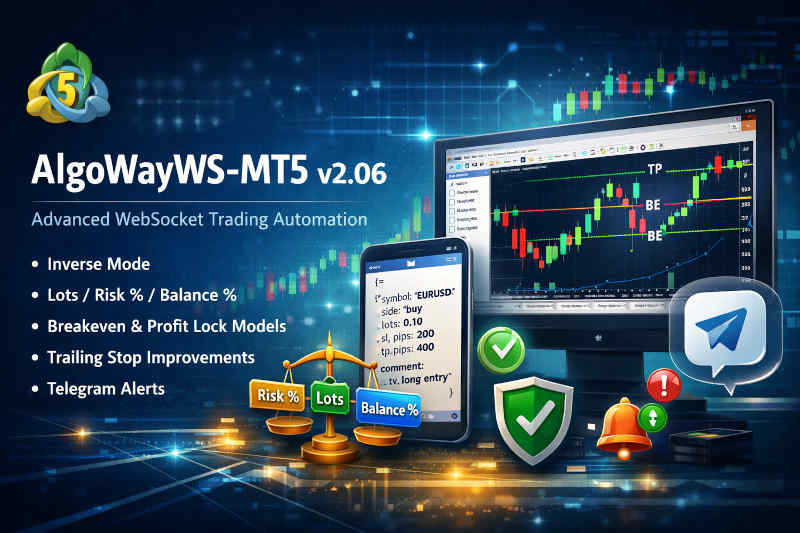
AlgoWayWS-MT5 EA is the MetaTrader 5 execution bridge for AlgoWay. It connects the AlgoWay platform to your MT5 terminal and lets structured signals from TradingView alerts, Telegram signals, manual webhook tests, or other supported sources become real MT5 trading actions.
This page is the current user-facing guide for the AlgoWayWS-MT5 EA 2.15 workflow. The file name still contains v206 because it originated from an earlier documentation cycle, while the content now reflects the current EA build and current AlgoWay platform direction: TradingView to MT5 webhook automation through AlgoWay and the AlgoWayWS-MT5 Expert Advisor.
All EA settings in this guide are named exactly as users see them in the MetaTrader 5 Inputs tab. Internal MQL variable names are intentionally not used for EA settings.
The complete execution route is:
TradingView alert -> AlgoWay webhook -> AlgoWayWS-MT5 EA -> MetaTrader 5 broker accountThis guide explains what the EA does, how webhook JSON fields are interpreted, how trade modes work, how SL/TP and trailing rules are applied, and how to troubleshoot the most common MT5 execution problems.
Last updated: 2026-08-16 • Author: AlgoWay
EA 2.15 Update Notes
EA 2.15 keeps the same main workflow and Inputs model while tightening several execution paths. The current build improves position identification on MT5 hedging accounts, makes Reverse and partial-close state changes depend on successful broker execution, blocks invalid zero-volume close requests, and retries one specific transient MT5 execution response once before returning an error.
This guide also now documents the SL/TP reference: Bid/Ask or Entry Price selector, which was not covered in the previous revision of this page.
Start Here: Current Setup and Support Guides
This page explains the EA behavior and JSON logic. For installation and platform setup, use the dedicated guides below.
| Need | Current guide |
|---|---|
| Install the current MT5 Expert Advisor | How to install an MT5 Expert Advisor for AlgoWay automation |
| Connect TradingView alerts to MT5 | How to connect TradingView to MetaTrader 5 with AlgoWay EA |
| Build a valid AlgoWay webhook message | AlgoWay JSON schema guide |
| Understand SL/TP, trailing and risk logic | Advanced risk management and trade automation |
| Choose Hedge, Reverse, Opposite or Inverse behavior | How AlgoWay handles opposite trading signals |
| Fix MetaTrader 5 EA errors | MetaTrader 5 common errors in AlgoWay |
Why AlgoWayWS-MT5 EA Exists
TradingView is powerful for charting, Pine Script strategies and alerts, but TradingView does not directly execute trades inside your MetaTrader 5 broker terminal. MetaTrader 5 can execute trades through Expert Advisors, but it needs a reliable way to receive the signal from outside.
AlgoWayWS-MT5 EA closes this gap:
- TradingView creates the signal;
- AlgoWay receives the webhook alert and validates the message;
- AlgoWayWS-MT5 EA keeps the MT5 terminal connected to AlgoWay;
- MetaTrader 5 executes the order through your broker account.
Competitors describe the same market need as a TradingView-to-MT5 bridge, webhook-to-EA connector, or alert automation layer. AlgoWay focuses this workflow around a dashboard, structured JSON, WebSocket EA delivery, logs, and multi-source signal routing.
What the EA Does and What It Does Not Do
The AlgoWayWS-MT5 EA is an executor. It receives commands routed by AlgoWay and performs trade actions in MetaTrader 5.
The EA can help with:
- opening BUY or SELL positions;
- closing positions with
flatcommands; - modifying SL/TP where supported by the message and current route;
- handling trade modes such as Reverse, Hedge, Opposite and Inverse;
- applying SL/TP, trailing, breakeven and profit lock rules;
- mapping TradingView tickers to exact MT5 broker symbols;
- respecting configured position size mode, session filters and limits;
- writing useful logs in MetaTrader 5.
The EA does not create the strategy. It does not guarantee profit. It does not fix a bad TradingView strategy, invalid signal logic, broker spread, slippage, closed market, insufficient margin or unsupported broker settings.
Runtime Conditions in MetaTrader 5
Before expecting the EA to execute orders, confirm these MT5 conditions:
- AlgoWayWS-MT5 EA is attached to a chart.
- MT5 Algo Trading is enabled.
- The EA is allowed to trade in its chart properties.
- DLL imports are enabled if required by the current WebSocket EA setup.
- The correct AlgoWay webhook UUID is entered in the EA inputs.
- The EA shows connected status in the MT5 Experts log or chart status.
- The broker symbol is visible in Market Watch and receiving quotes.
If MT5 returns Error 4752, the EA is probably blocked by algorithmic trading permissions. Read: How to fix MT5 Error 4752.
Connecting the EA to AlgoWay
The key connection value is shown in MT5 as Your Algoway Webhook here. It identifies which AlgoWay webhook route belongs to this MT5 terminal.
| Name shown in MT5 Inputs | Meaning | Example |
|---|---|---|
| Your Algoway Webhook here | AlgoWay webhook UUID or the full https://algoway.co/<uuid> webhook URL. EA 2.15 extracts the UUID from the full URL automatically. |
b7534616-6c8c-4582-8af4-7c143d323231 |
| MAGIC_NUMBER | Magic number used by the EA to identify and manage only its own positions. | 1973 |
If the EA is connected to the wrong webhook, valid alerts can reach AlgoWay but never reach the intended MT5 terminal. Do not attach two active EA instances to the same webhook: the single-instance guard keeps only one instance active.
Complete EA 2.15 Inputs Reference
The names below match the labels visible in the MetaTrader 5 Inputs tab.
Connection and Execution
| Name shown in MT5 Inputs | What it controls |
|---|---|
| Your Algoway Webhook here | Connects this EA instance to the selected AlgoWay webhook. |
| MAGIC_NUMBER | Identifies positions opened and managed by this EA. |
| Reverse / Hedge / Opposite / Inverse | Selects how incoming BUY and SELL commands interact with existing positions. |
| Coefficient for work with Lots | Multiplies the calculated or supplied order size. |
| Order filling type: AUTO, FOK or IOC | Selects automatic broker-compatible filling, Fill or Kill, or Immediate or Cancel. |
| PIP type: AUTO/TRADINGVIEW/PERCENT | Controls how SL, TP, trailing, breakeven and profit-lock distances are converted. EA 2.15 also contains the POINTS dropdown value. |
| SL/TP reference: Bid/Ask or Entry Price | Selects the reference price used for distance-based SL/TP calculations. Bid/Ask preserves quote-side behavior; Entry Price bases the final distance on the actual position entry price where applicable. |
Symbols Mapping
Use TView Ticker N1 through TView Ticker N5 together with Broker Ticker N1 through Broker Ticker N5. Each pair replaces the TradingView symbol with the exact MT5 broker symbol.
Position Size Mode
| Name shown in MT5 Inputs | What it controls |
|---|---|
| Position size: Lots / Risk% / Balance% | Defines whether order_contracts means lots, equity risk percent, or balance percent. |
| LEGACY: force Risk% (by SL) | Compatibility switch for old setup files. When enabled, entry size is forced into Risk% mode and requires a usable Stop Loss. |
| Close size: Lots / Percent % | Defines whether a flat command closes a lot amount or a percent of the initial position size. |
EA Based Trailing
| Name shown in MT5 Inputs | What it controls |
|---|---|
| Enable Trailing SL | Enables the global EA trailing stop. |
| Trailing Step in pips | Distance used when the EA advances Stop Loss. |
| Start trailing after N pips, 0 = immediate | Delays trailing until the position reaches the selected profit distance. |
| Enable Breakeven | Allows the EA to move Stop Loss to the entry area. |
| Move SL to BE after X pips profit | Profit distance required before breakeven activates. |
| Enable Profit Lock factor | Enables protected-profit Stop Loss movement. |
| Profit Lock after XX pips | Profit amount the EA attempts to protect. |
| Delta trigger | Profit threshold that activates Profit Lock. |
EA Based SL and TP
| Name shown in MT5 Inputs | What it controls |
|---|---|
| Use fixed SL/TP (pips) inside EA | Uses the fixed EA values instead of alert-provided SL/TP distances for new entries. |
| Do not place SL in MT5 | Prevents the EA from placing Stop Loss in MT5. |
| Do not place TP in MT5 | Prevents the EA from placing Take Profit in MT5. |
| Internal SL distance in pips | Fixed Stop Loss distance used when internal SL/TP is enabled. |
| Internal TP distance in pips | Fixed Take Profit distance used when internal SL/TP is enabled. |
Martingale and Trade Limits
| Name shown in MT5 Inputs | What it controls |
|---|---|
| Enable increasing the lot after a losing trade | Enables lot multiplication after a losing trade. |
| Lot increase coefficient | Multiplier used for the next martingale step. |
| Max daily loss in % | Closes all positions belonging to the EA magic number and blocks new trading until the next New York trading-day reset. Zero disables the limit. |
| Max drawdown per trade in % | Closes an individual EA position when its adverse price movement from the open price reaches the configured percentage. Zero disables the limit. |
| Max positions, if 0 = no limit | Maximum total number of EA positions. |
| Max positions per direction, if 0 = no limit | Maximum number of BUY or SELL positions in one direction. |
| Max spread in points, 0 = disabled | Blocks new entries when the current spread exceeds the configured broker-point value. It does not prevent position-closing commands. |
Sessions, Daily Window and Auto-Close
| Name shown in MT5 Inputs | What it controls |
|---|---|
| NY session: Winter or Summer | Selects the New York trading-day reset: WINTER uses 22:00 UTC and SUMMER uses 21:00 UTC. It does not change the fixed New York session row shown as 12:00-22:00 UTC. |
| London (07:00-16:00) | Allows entries during the fixed London UTC session. |
| New York (12:00-22:00) | Allows entries during the fixed New York UTC session. |
| Tokyo (22:00-07:00) | Allows entries during the fixed Tokyo UTC session. |
| Daily Window Time Mode | Selects the clock used by Daily Trade Window: UTC, broker/server time, or local computer/VPS time. Default is UTC to preserve existing configurations. |
| Daily Trade Window | Allowed daily entry interval in HH:MM-HH:MM format using the selected Daily Window Time Mode. Overnight ranges such as 23:30-21:30 are supported. |
| Autoclose mode | Selects no auto-close, close near the end of the trading day, or close near the end of the trading week. |
| minutes before end | Number of minutes before the calculated day or week end when Auto-Close starts closing EA positions. |
Important time rule: London, New York and Tokyo session rows always use UTC. Daily Window Time Mode changes only the clock used by Daily Trade Window. LOCAL means the Windows/VPS clock. BROKER means the MT5 trading-server clock used by broker history. UTC preserves the behavior of older EA configurations.
Telegram Notifications
| Name shown in MT5 Inputs | What it controls |
|---|---|
| Telegram notify for AlgoWay disconnect | Enables EA notifications when the AlgoWay connection is lost and restored. |
| Telegram chat id | Destination Telegram chat ID. |
| Telegram bot token | Bot token used to send the notification. |
Core TradingView to MT5 JSON Fields
A basic AlgoWay message for MetaTrader 5 contains four main fields:
| Field | Example | Purpose |
|---|---|---|
platform_name |
metatrader5 |
Tells AlgoWay to route the command to MetaTrader 5. |
ticker |
EURUSD |
Defines the trading symbol. It may need mapping to the broker symbol. |
order_contracts |
0.10 |
Defines the size value before final sizing mode and coefficient logic. |
order_action |
buy |
Defines the action: buy, sell, flat, modify or mode-specific action. |
Basic market order:
{
  "platform_name": "metatrader5",
  "ticker": "EURUSD",
  "order_contracts": 0.10,
  "order_action": "buy"
}
TradingView Strategy Alert Example
For a TradingView strategy alert, use TradingView placeholders. TradingView replaces them when the alert fires.
{
  "platform_name": "metatrader5",
  "ticker": "{{ticker}}",
  "order_contracts": "{{strategy.order.contracts}}",
  "order_action": "{{strategy.market_position}}",
  "price": "{{close}}"
}
If this message reaches AlgoWay but MT5 does not trade, check the EA connection, symbol mapping, lot size, trade mode, broker session, margin and MT5 logs.
Supported Trade Actions
| Action | Meaning | Typical use |
|---|---|---|
buy |
Open or process BUY-side command | Long entry |
sell |
Open or process SELL-side command | Short entry |
long |
Directional value treated as BUY where supported | TradingView strategy state mapping |
short |
Directional value treated as SELL where supported | TradingView strategy state mapping |
flat |
Close position logic | Exit signal or partial close workflow |
modify |
Modify an existing position | Update SL/TP by identifier |
Trade Modes: Reverse, Hedge, Opposite and Inverse
The dropdown shown as Reverse / Hedge / Opposite / Inverse defines how the EA behaves when a new signal arrives while a position already exists on the same symbol.
| Mode | Behavior | Best use case |
|---|---|---|
| Reverse | One-side model. The EA closes the opposite side and opens or keeps the new side according to signal logic. | Simple TradingView strategy automation where one side should be active. |
| Hedge | BUY and SELL can exist at the same time if the account supports it. | Hedging systems and independent long/short logic. |
| Opposite | The latest signal controls direction. The current position can be closed and the opposite side opened. | Strategies that flip immediately from long to short or short to long. |
| Inverse | Incoming direction is inverted before execution logic. BUY becomes SELL, SELL becomes BUY. | Counter-signal workflows or inverse strategy execution. |
Detailed mode guide: How AlgoWay handles opposite trading signals.
Position size: Lots / Risk% / Balance%
The same order_contracts value can mean different things depending on the value selected in Position size: Lots / Risk% / Balance%.
SIZE_LOTS
order_contracts is treated as lots before coefficient and broker validation.
{
  "platform_name": "metatrader5",
  "order_action": "buy",
  "ticker": "EURUSD",
  "order_contracts": "0.10"
}
SIZE_RISK_PERCENT
order_contracts is treated as percent risk of equity. This mode requires a usable Stop Loss because the EA needs stop distance to calculate position size.
{
  "platform_name": "metatrader5",
  "order_action": "buy",
  "ticker": "EURUSD",
  "order_contracts": "1.0",
  "stop_loss": "100"
}
SIZE_BALANCE_PERCENT
order_contracts is treated as percent of balance. This is not the same as risk-by-stop-loss mode.
{
  "platform_name": "metatrader5",
  "order_action": "buy",
  "ticker": "EURUSD",
  "order_contracts": "5.0",
  "stop_loss": "100"
}
Coefficient for work with Lots
Coefficient for work with Lots multiplies the final size derived from order_contracts.
1- keep the computed or provided size.0.5- use half the size.2- double the size.
Always test final lot size in a demo or small-volume environment before live trading. Wrong coefficient values can create invalid volume errors or oversized positions.
Order filling type: AUTO, FOK or IOC
- Auto Mode - lets the EA select a filling mode supported by the broker symbol.
- FOK - Fill or Kill. The requested volume must be filled completely or the order is rejected.
- IOC - Immediate or Cancel. The broker may fill the available part and cancel the remainder.
Use Auto Mode unless the broker or prop firm explicitly requires another mode. MT5 retcode 10030 means the selected filling mode is not supported for that symbol.
Symbol Mapping: TradingView Ticker vs MT5 Broker Symbol
TradingView and MT5 brokers often use different symbol names. Enter the TradingView value in TView Ticker N1 and the exact MT5 symbol in Broker Ticker N1. The same rule applies to pairs N2 through N5.
| TradingView ticker | MT5 broker symbol |
|---|---|
DE40 |
GER40 |
XAUUSD |
GOLD |
US30 |
DJ30 |
EURUSD |
EURUSD.a |
If the symbol is not found, the trade will not open. Always confirm the exact broker symbol in MT5 Market Watch.
SL/TP Model A: Levels from JSON
Model A means the alert message itself sends Stop Loss, Take Profit or trailing fields.
Exact SL/TP Prices
{
  "platform_name": "metatrader5",
  "order_action": "sell",
  "ticker": "XAUUSD",
  "order_contracts": "0.05",
  "sl_price": "2055.50",
  "tp_price": "2038.00"
}
Distance-Based SL/TP
{
  "platform_name": "metatrader5",
  "order_action": "buy",
  "ticker": "BTCUSDT.P",
  "order_contracts": "0.10",
  "stop_loss": "150",
  "take_profit": "300"
}
Priority rule: if sl_price or tp_price are set and non-zero, price levels should take priority. Otherwise distance fields such as stop_loss and take_profit are used.
SL/TP Model B: Levels from EA Inputs
Model B means the EA applies internal SL/TP values from the Inputs tab.
- Use fixed SL/TP (pips) inside EA - enables fixed EA distances for new entries.
- Internal SL distance in pips - fixed Stop Loss distance.
- Internal TP distance in pips - fixed Take Profit distance.
- Do not place SL in MT5 - suppresses Stop Loss placement.
- Do not place TP in MT5 - suppresses Take Profit placement.
When Use fixed SL/TP (pips) inside EA is enabled, the EA uses the internal distances for that entry instead of the alert-provided distance values. Exact behavior still depends on the selected PIP type and broker stop restrictions.
PIP type: AUTO/TRADINGVIEW/PERCENT
The dropdown shown as PIP type: AUTO/TRADINGVIEW/PERCENT controls how distance values are interpreted.
- PIP_AUTO - follows broker digits and point logic.
- PIP_TRADINGVIEW - Forex commonly uses 1 pip = 10 broker points; other symbols commonly use 1 pip = 1 broker point.
- PIP_PERCENT - SL, TP, trailing, breakeven and profit-lock distances are treated as percentages of the relevant price.
- POINTS - each distance unit is treated as one broker point. This value exists in the EA 2.15 dropdown even though the visible label lists the three original modes.
Wrong distance interpretation is a common cause of invalid stops and MT5 Error 4756.
SL/TP Reference: Bid/Ask or Entry Price
The setting shown as SL/TP reference: Bid/Ask or Entry Price controls which price is used as the reference for distance-based Stop Loss and Take Profit calculations.
- Bid/Ask - preserves the quote-side calculation used by the EA. For distance-based SL/TP, the reference depends on trade direction and whether the level is a Stop Loss or Take Profit.
- Entry Price - bases distance-based SL/TP on the position entry price. For market orders, the EA first opens the trade, resolves the actual MT5 position and actual fill price, then recalculates the applicable distance-based SL/TP and applies the corrected levels to that position.
Absolute sl_price and tp_price values are not converted into distances by this selector. When explicit price levels are supplied, those levels keep priority over stop_loss and take_profit distance fields.
For pending orders, Entry Price mode can use the requested pending-order price as the reference before the order is sent. For market orders, the actual executed entry price is used after the position is opened and identified.
Practical difference: use Bid/Ask when you want the legacy quote-side behavior. Use Entry Price when a strategy expects a 100-pip Stop Loss or Take Profit to be measured from the actual trade entry rather than from the current Bid or Ask reference.
Trailing Stop from JSON and EA Inputs
Trailing can be enabled per trade with trailing_pips.
{
  "platform_name": "metatrader5",
  "order_action": "buy",
  "ticker": "GBPUSD",
  "order_contracts": "0.10",
  "stop_loss": "120",
  "trailing_pips": "80"
}
If trailing_pips is present, trailing is enabled for that trade. If it is absent, the EA uses Enable Trailing SL, Trailing Step in pips and Start trailing after N pips, 0 = immediate.
Delayed Trailing Activation with trail_points
trail_points allows trailing stop to start only after the trade moves a specified number of pips into profit.
trail_points = 0- trailing starts immediately after the position opens.trail_points = 50- trailing starts only after 50 pips of profit.
{
  "platform_name": "metatrader5",
  "ticker": "SP500",
  "order_action": "buy",
  "order_contracts": "4",
  "trailing_pips": "20",
  "trail_points": "50"
}
In this example, the trailing step is 20 pips, but trailing starts only after the trade moves 50 pips in profit.
Breakeven
Breakeven logic moves Stop Loss to the entry area after the trade reaches a configured profit distance.
- Enable Breakeven - enables breakeven logic.
- Move SL to BE after X pips profit - defines when breakeven activates.
Breakeven is useful when a strategy should remove open risk after the market moves in the intended direction.
Profit Lock
Profit Lock is more advanced than basic breakeven. It can move Stop Loss so that a defined amount of profit is protected after the trade reaches a trigger.
- Enable Profit Lock factor - enables profit lock logic.
- Delta trigger - profit threshold that activates the feature.
- Profit Lock after XX pips - profit distance the EA tries to protect after activation.
In simple terms: first the trade reaches the trigger, then the EA moves SL to protect the configured profit.
Partial Close with Close Size Mode
The setting shown as Close size: Lots / Percent % controls whether the EA closes positions by lots or by percentage of the initial position volume.
- CLOSE_LOTS -
order_contractsin aflatsignal is treated as lots. - CLOSE_INITIAL_PERCENT -
order_contractsin aflatsignal is treated as percent of the initial position.
{
  "platform_name": "metatrader5",
  "ticker": "SP500",
  "order_action": "flat",
  "order_contracts": "25"
}
If the initial position was 4.00 lots and Close size mode is CLOSE_INITIAL_PERCENT, this command closes 25% of the initial position, which is 1.00 lot.
close_side for Hedge Workflows
close_side is used with flat to close only one side where supported.
{
  "platform_name": "metatrader5",
  "order_action": "flat",
  "ticker": "EURUSD",
  "close_side": "long"
}longorbuy- close BUY-side positions.shortorsell- close SELL-side positions.
If close_side is used with buy, sell or modify, treat it as invalid. It belongs to close/flat logic.
Modify Existing Positions
modify is used to update an existing position instead of opening a new one. The position must be identified by comment or tv_order_id depending on your route.
{
  "platform_name": "metatrader5",
  "order_action": "modify",
  "ticker": "ETHUSDT",
  "comment": "TV#12345",
  "stop_loss": "140",
  "take_profit": "280"
}
If no matching position is found, the modification cannot be applied.
Martingale
Enable increasing the lot after a losing trade activates martingale sizing. Lot increase coefficient defines the multiplier for the next step. This is a high-risk feature and should be tested carefully before live use.
Do not enable martingale just because it exists. Use it only if the trading system was designed and tested for this risk model.
Trade Limits, Sessions, Daily Window and Auto-Close
Trade Limits
- Max daily loss in % - closes all EA positions and blocks new trading for the rest of the calculated trading day after the threshold is reached. Zero disables it.
- Max drawdown per trade in % - closes an individual EA position when adverse price movement from its open price reaches the configured percentage. This is a price-drawdown calculation, not account-equity risk. Zero disables it.
- Max positions, if 0 = no limit - limits all open positions belonging to the EA magic number.
- Max positions per direction, if 0 = no limit - separately limits BUY and SELL positions.
- Max spread in points, 0 = disabled - blocks new entries when the current Ask-Bid spread exceeds the selected broker-point value. Closing actions remain available.
Fixed UTC Sessions
The three session switches are always evaluated in UTC:
- London (07:00-16:00)
- New York (12:00-22:00)
- Tokyo (22:00-07:00)
At least one selected session must be active when an entry command arrives. The enabled sessions are combined: an entry is allowed when the current UTC time is inside any enabled session and also inside the Daily Trade Window.
NY session: Winter or Summer
NY session: Winter or Summer controls the trading-day reset used by daily-loss calculations and Auto-Close:
- WINTER - reset at 22:00 UTC.
- SUMMER - reset at 21:00 UTC.
This setting does not move the fixed New York (12:00-22:00) session row.
Daily Window Time Mode and Daily Trade Window
Daily Window Time Mode selects which clock is used to evaluate Daily Trade Window:
- UTC - coordinated universal time. This is the default and preserves older EA behavior and existing setup files.
- Broker Time - MT5 trading-server time, the same time basis used in broker trade history.
- Local Time - the Windows clock of the computer or VPS running MT5.
Daily Trade Window uses HH:MM-HH:MM. Example: 01:30-23:30. A range that crosses midnight is valid, for example 23:30-21:30.
For verification, the MT5 Experts log writes the current UTC, Broker and Local timestamps together with the selected window mode in the [SCHEDULE] record. When using Local Time, make sure the Windows/VPS clock and time zone are correct.
Example: A user who wants entries from 01:30 to 23:30 by the clock visible on the Windows desktop should select Local Time and enter 01:30-23:30. No UTC conversion is required.
Autoclose mode and minutes before end
Autoclose mode can close EA positions near the end of the calculated trading day or trading week. minutes before end defines how early the closing process begins. The day boundary comes from NY session: Winter or Summer.
If a signal is rejected by a session, Daily Trade Window, spread or position limit, the webhook is not necessarily broken. The EA followed the configured Inputs.
Telegram Notifications from the EA
The EA can send Telegram notifications about AlgoWay connection loss and recovery.
- Telegram notify for AlgoWay disconnect
- Telegram chat id
- Telegram bot token
The Inputs section also shows the required WebRequest address: https://api.telegram.org. Add it in MT5 under Tools >> Options >> Expert Advisors >> Allow WebRequest for listed URL.
This is not the same as AI Telegram signal copying. This is EA-side notification logic. For Telegram as a signal source, use: AI Telegram signal copier in AlgoWay.
Wrapped Values
Some alerts may send wrapped values such as:
{
  "platform_name": "metatrader5",
  "order_action": "buy",
  "ticker": "EURUSD",
  "order_contracts": "0.10",
  "stop_loss": "stop_loss=100",
  "take_profit": "take_profit=200",
  "trailing_pips": "trailing_pips=80"
}
Wrapped values should be used only when the current route explicitly supports them. Clean numeric JSON values are easier to debug.
Common Problems and Where to Fix Them
| Problem | Likely layer | Guide |
|---|---|---|
| AlgoWay does not receive the alert | TradingView webhook / JSON | Webhook Error 415 guide |
| EA does not receive commands | Webhook UUID / EA connection | MT5 setup guide |
| MT5 says trading disabled | Algo Trading permission | Error 4752 guide |
| Order is rejected | Broker execution / request parameters | Error 4756 guide |
| Wrong symbol | Symbol mapping | Common MT5 errors guide |
| SL/TP rejected | Stop level, freeze level, points/pips | Risk management guide |
| SL/TP distance is correct but the resulting level is shifted by the spread | SL/TP reference mode | Compare Bid/Ask with Entry Price in the EA Inputs |
| Trade opens outside the expected daily time | Daily Window Time Mode does not match the clock used by the user | Check UTC, Broker Time or Local Time, then verify Daily Trade Window |
| Entry rejected while the market is open | Max spread, session, daily window or position limit | Check the MT5 Experts log for [SPREAD], [SCHEDULE] or [LIMIT] |
Safe Testing Procedure
When setting up a new MT5 automation route, test in layers:
- Confirm that the EA is connected in MT5.
- Confirm Reverse / Hedge / Opposite / Inverse and Position size: Lots / Risk% / Balance%.
- Keep Daily Window Time Mode on UTC for an existing configuration, or deliberately select Broker Time or Local Time for a new one.
- Temporarily use Daily Trade Window
00:00-23:59and ensure at least one UTC session is enabled. - Send a simple market order with a very small valid lot.
- Check AlgoWay Webhook Logs and MT5 Experts/Journal logs.
- Test Max spread in points, 0 = disabled with a safe value before enforcing it live.
- Add exact SL/TP prices, then test distance-based SL/TP.
- If you use distance-based SL/TP, compare Bid/Ask and Entry Price reference modes and confirm the resulting levels in MT5.
- Add trailing stop, breakeven or profit lock one feature at a time.
- Test close/flat logic and partial close only after full close works correctly.
How to Use This v206 Reference
The URL contains v206 because it was created during an earlier documentation cycle. The content has since been updated to match the current AlgoWayWS-MT5 EA 2.15 workflow while preserving the existing address for users who may still have older links or references.
This reference now covers the main topics required for the current MT5 automation workflow:
- TradingView to MT5 EA;
- MT5 webhook EA;
- TradingView alerts to MetaTrader 5;
- MT5 Expert Advisor JSON fields;
- MT5 EA trailing stop automation;
- MetaTrader 5 WebSocket EA;
- AlgoWayWS-MT5 EA guide.
Related AlgoWay Guides
- How to connect TradingView to MetaTrader 5 with AlgoWay EA
- How to install an MT5 Expert Advisor for AlgoWay automation
- AlgoWay JSON schema guide
- Advanced risk management and trade automation
- How AlgoWay handles opposite trading signals
- MetaTrader 5 common errors in AlgoWay
- How to fix MT5 Error 4752
- How to fix MT5 Error 4756
- How to fix AlgoWay webhook Error 415
- AI Telegram signal copier in AlgoWay
Final Summary
AlgoWayWS-MT5 EA 2.15 is the current MT5 execution component for AlgoWay automation. It receives commands from AlgoWay, executes them in MetaTrader 5, and supports trade modes, lot/risk/balance sizing, order-filling selection, distance- or price-based SL/TP, Bid/Ask or Entry Price SL/TP reference modes, trailing, breakeven, profit lock, partial close, symbol mapping, spread and position limits, UTC sessions, selectable Daily Trade Window clocks, Auto-Close, Telegram connection notifications and detailed diagnostics.
If you want to automate TradingView alerts to MetaTrader 5, start with a clean AlgoWay webhook, install the current EA, confirm the WebSocket connection, send valid JSON, test a small market order, and only then enable advanced risk and management features.