AlgoWay Blog
Guides, manuals and platform references.
Core
- All articles
- FAQ
- PineConnector alternative
- TradersPost alternative
- Automate TradingView alerts
- Automate Telegram signals
- AlgoWay CopyTrader
- cTrader Copier
- TrendSpider with AlgoWay
- How to Automate a TradingView Indicator with Dynamic SL/TP and 1% Risk on MT5
JSON & Alerts
- JSON schema
- Manual alerts
- TradingView without paid subscription
- AlgoWay Strategy Integration in Pine Script
- Python Trading Bot Webhook Integration
- TRALADAL - TradingView Alert Adapter
- TradingView Order Action Alert
MT5 / Expert Advisors
Errors
Integrations
- MetaTrader 5
- TradeLocker
- Match-Trader
- DXtrade
- Capital.Com
- Binance
- Bybit
- MEXC
- OKX
- Bitget
- Hyperliquid
- BingX
- Alpaca
- Interactive Brokers
- Gate.io
- Coinbase
- TooBit
- WEEX
- ProjectX
- cTrader logic
Other Publications
- MT5 EA Webhook JSON Reference
- OANDA MT5 with AlgoWay
- Buy Webhook via Buy Me a Coffee
- AlgoWay vs PineConnector
- Compare AlgoWay with other trading automation tools
- AlgoWay Red News Filter
- Why Paid Trading Indicators Avoid Verifiable Backtests
- How Trade Automation Tools Mislead You
- utomating a Prop-Firm Eval End to End:
- ATP Premium Indicator Testing Bot
- Why TradingView Backtests Win but Live Trades Lose
- Best Prop Firms for Trading Automation and Telegram Signal Copy in 2026
- Four AIs, One Trader, and the Strange Case of TradingView to Alpaca
- TradingView Automation
AlgoWay Strategy Lab
Stop-Loss vs Stop-Limit Orders: Understand Gap Risk
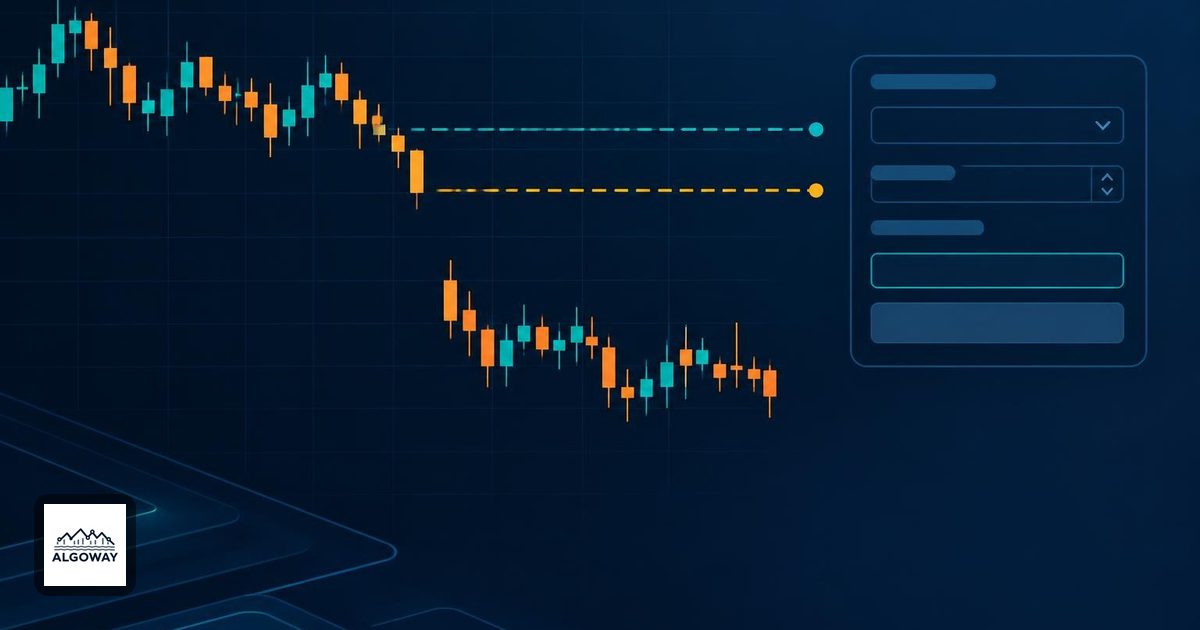
A stock closes at $100. You own 100 shares and have an exit trigger at $95. The next session begins with buyers around $90. Your trading plan has reached the awkward part: the market skipped the price where you intended to leave.
A conventional stop-loss order becomes a market order when triggered. A stop-limit becomes a limit order. The first accepts uncertainty about the execution price; the second can leave you holding the position. Neither turns a planned loss into a guaranteed maximum loss.
This article uses ordinary stock sell orders to explain that choice. For futures, foreign exchange or crypto, check the destination's own trigger and order rules before applying the example.
The trigger starts the order; the limit restricts it
A sell stop below the current market activates when its trigger condition is met. Its stop price is not a minimum selling price. A sell stop-limit adds a separate constraint: after activation, sell only at the limit price or higher. Investor.gov's order guide explains the distinction between activation and execution.
| Instruction | After activation | Main uncertainty |
|---|---|---|
| Sell stop at $95 | Market sell order | The price available when it executes |
| Sell stop at $95, limit $94 | Limit sell order at $94 | Whether buyers are available at $94 or better |
The $1 between trigger and limit is an allowed execution range below the trigger, not a buffer that guarantees a buyer. A limit order is a condition attached to your request. It cannot recruit the other side of the trade.
Work through the gap without assuming a fill
Schwab explains why gaps can bypass a planned stop price. Apply that distinction to our hypothetical 100 shares bought at $100. Assume the broker's trigger condition is met after the gap, the orders are eligible for that session, and no other trading restriction intervenes.
For the stop-market case, suppose all 100 shares actually fill at $90. The realized loss is 100 × ($100 - $90) = $1,000, before fees. The intended loss at $95 would have been $500. The extra $500 comes from the assumed fill being $5 below the trigger. This is an invented calculation, not an observed execution or a prediction that $90 will be available.
For the stop-limit case, buyers available only at $90 do not satisfy a $94 sell limit. The shares remain exposed. If the market later offers enough buying interest at $94 or above while the order remains active, it may execute. If price keeps falling, the limit has protected the permitted sale price while leaving the unrealized loss free to grow.
FINRA's guidance on stop orders identifies both risks: a stop can execute well away from its trigger, and adding a limit can prevent execution. It also notes that a brief price move can trigger a stop even if the stock subsequently recovers. A rebound does not undo a completed sale.
Putting both prices at $95 does not remove the tradeoff
A sell stop-limit with trigger $95 and limit $95 gives no permission to sell below $95. That may match the instruction you want, but it still cannot sell into buyers at $90. Moving the limit to $93 expands the prices you will accept after activation; it does not guarantee an exit through a gap to $90.
Do not confuse a sell limit with “sell if price falls below this number.” Once active, a sell limit specifies the lowest acceptable selling price. That distinction is why replacing a stop with a limit changes the risk rather than simply improving the order.
Check the broker's conditions before comparing orders
Write down the trigger basis, eligible session and expiry alongside the two prices. The order name alone is not a complete specification. In particular, do not assume that an overnight price move will trigger or execute every order type.
FINRA's guide to order timing distinguishes day orders from orders that remain active longer and explains that extended-hours eligibility must be checked. Not all order types are available outside the regular session, and extended trading can bring lower liquidity and higher volatility.
For an automated workflow, record these separate outcomes: order accepted, trigger activated, quantity filled, quantity still working, and position remaining. An alert or an accepted instruction is not evidence that the position is flat. Decide beforehand how you will handle an unfilled exit, and check the actual order state before replacing it.
For platform configuration, continue with the AlgoWay MT5 risk-management guide. If the problem is a rejected protective level rather than an unfavorable fill, use the separate MT5 invalid-stops guide. Rejection and slippage require different investigations.
The useful decision is specific: how much execution-price uncertainty can the plan tolerate, and what will it do if the exit stays unfilled? Write both answers down before the market supplies its own.
