AlgoWay Blog
Guides, manuals and platform references.
Core
- All articles
- FAQ
- PineConnector alternative
- TradersPost alternative
- Automate TradingView alerts
- Automate Telegram signals
- AlgoWay CopyTrader
- cTrader Copier
- TrendSpider with AlgoWay
- How to Automate a TradingView Indicator with Dynamic SL/TP and 1% Risk on MT5
JSON & Alerts
- JSON schema
- Manual alerts
- TradingView without paid subscription
- AlgoWay Strategy Integration in Pine Script
- Python Trading Bot Webhook Integration
- TRALADAL - TradingView Alert Adapter
- TradingView Order Action Alert
MT5 / Expert Advisors
Errors
Integrations
- MetaTrader 5
- TradeLocker
- Match-Trader
- DXtrade
- Capital.Com
- Binance
- Bybit
- MEXC
- OKX
- Bitget
- Hyperliquid
- BingX
- Alpaca
- Interactive Brokers
- Gate.io
- Coinbase
- WEEX
- ProjectX
- cTrader logic
Other Publications
- MT5 EA Webhook JSON Reference
- OANDA MT5 with AlgoWay
- Buy Webhook via Buy Me a Coffee
- AlgoWay vs PineConnector
- Compare AlgoWay with other trading automation tools
- AlgoWay Red News Filter
- Why Paid Trading Indicators Avoid Verifiable Backtests
- How Trade Automation Tools Mislead You
- utomating a Prop-Firm Eval End to End:
- ATP Premium Indicator Testing Bot
- Why TradingView Backtests Win but Live Trades Lose
- Best Prop Firms for Trading Automation and Telegram Signal Copy in 2026
- Four AIs, One Trader, and the Strange Case of TradingView to Alpaca
- TradingView Automation
AlgoWay Strategy Lab
TradingView Futures Rollover: Check Automated Orders
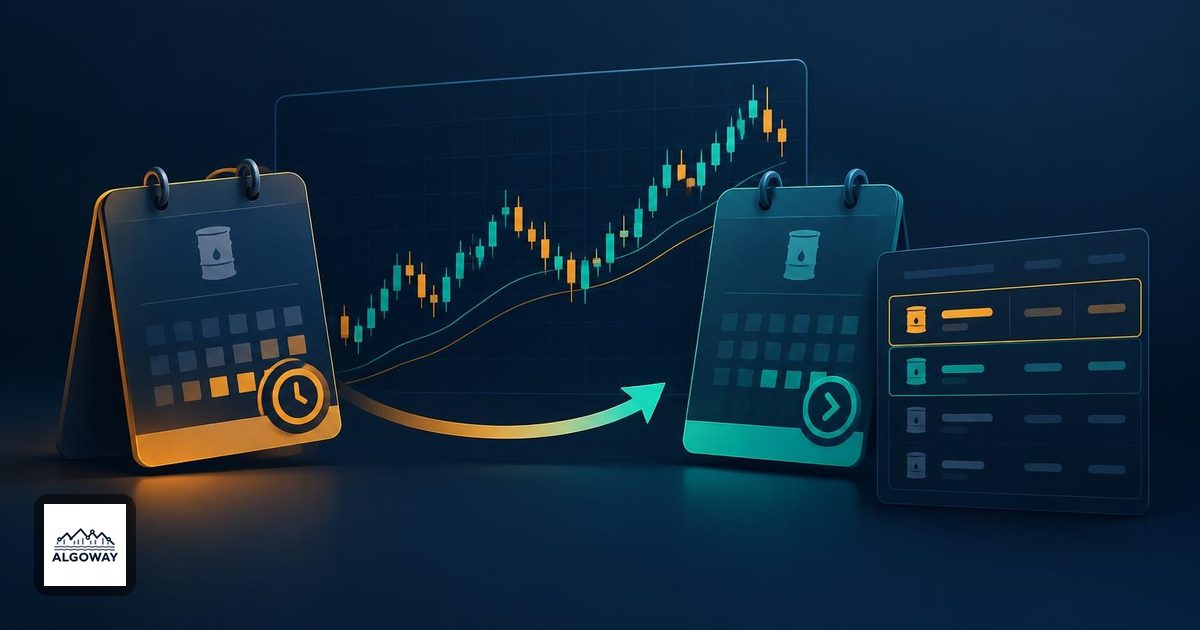
A futures chart can keep the same name while the contract underneath it changes. Your trading account has no obligation to follow along. That small distinction can leave an automated strategy reading one contract, sending orders toward another, and still holding a position in a third place: yesterday's plan.
For a TradingView-to-AlgoWay workflow, check three things separately at rollover: the contract supplying the chart, the instrument selected for execution, and the contract attached to each open position and working order. A continuous chart is useful for analysis. It is not evidence that an existing trade has been rolled.
What actually changes on a continuous futures chart?
A continuous symbol such as ES1! joins successive contracts into a chart. TradingView provides contract-switching markers: open a marker to see the switching date and the old and new contracts. You can also open the individual contract from that card. Enable these markers in the chart's Events settings when available. This is more useful than guessing the contract from the familiar ticker at the top of the screen. See TradingView's contract-switching guide.
Do not confuse that chart switch with a broker transaction. Moving exposure from one dated contract to another requires actual execution. Check the account's positions and orders to establish whether that happened.
There is also an important distinction between TradingView's integrated order panel and a webhook. TradingView documents direct trading from 1! continuous charts for CME and EUREX futures, with orders assigned to the front contract currently represented by the chart. It does not offer that direct trading for 2! charts. Those documented order-panel rules do not establish how an external webhook route interprets a symbol. See TradingView's continuous-contract trading rules.
Check the alert symbol against the execution contract
AlgoWay's ProjectX setup guide explicitly calls out the difference between TradingView tickers and executable symbols. It recommends checking the accepted symbol for the connected environment and testing the route before creating the TradingView alert. Rollover is a good reason to repeat that check.
Record the following in a small test sheet. Keep account identifiers and webhook URLs out of any shared copy.
| Record | Where to check | What it tells you |
|---|---|---|
| Chart's current dated contract | TradingView contract-switching marker and individual contract chart | Which contract supplies the signal's market data |
| Symbol in the actual alert message | Triggered TradingView alert details | What the alert sent, including any fixed symbol text |
| Executed contract and quantity | Connected trading platform's order record | What the account actually traded |
| Old positions and working orders | Connected platform's positions and orders | What still needs management after the chart switch |
A literal symbol in an alert message deserves particular attention. Changing the chart does not turn fixed text into a contract-selection rule. Conversely, sending a continuous ticker does not prove that the receiving route accepts it. Use the symbol format documented for your connection, and verify the resulting contract rather than merely checking that the alert was delivered.
This article does not prescribe one universal replacement string for ES1! or NQ1!. The correct execution symbol depends on the connected platform and route. If the accepted symbol or selected expiry is unclear, resolve that before enabling orders.
Price-based exits need a second look
Two delivery months can trade at different prices. Suppose, purely as an illustration, the old contract is at 5,100 and the new one is at 5,120. A buy limit at 5,095 is five points below the first price and twenty-five below the second. The JSON number has not changed; its relationship to the market has.
That matters whenever a strategy sends an absolute entry, stop-loss or take-profit price. Compare the intended level with the executable contract's own market, tick size and order rules. Do not automatically add the example's twenty-point difference to every order. The difference between contracts is not a permanent conversion rate.
Back-adjustment adds another wrinkle. TradingView can adjust earlier contracts' historical prices to remove gaps at switches; the feature is disabled by default. This changes the historical price series used for analysis. If your rules derive levels from earlier highs, lows or indicator calculations, review those levels on the actual execution contract. Smoothing a historical chart does not modify a broker order. See TradingView's back-adjustment explanation.
A rollover check that includes the exit
- Identify both contracts. Write down the chart's old and new dated contracts, then confirm the execution instrument your connection accepts. Use the relevant platform's trading calendar and account rules for deadlines; a chart-switch date is not a universal account deadline.
- Inventory existing exposure. Check positions and pending entry, stop and take-profit orders on the old contract. Decide how each will be managed before changing entry routing. If you pause entry alerts, preserve the protection and exit management needed by existing positions.
- Review the saved alert. Check its symbol text, strategy settings and price fields. When you change the strategy configuration used for automation, follow the guide to replacing alerts that still use old settings. Check for a surviving old alert before enabling its replacement.
- Test the full route in a suitable demo environment. Use a small valid whole-contract quantity for ProjectX where the account permits it. Confirm the contract on the resulting order and position, then test an exit and confirm that the intended position closes. A successful entry alone does not verify the exit path.
- Reconcile before resuming. Confirm which old-contract positions and orders remain, which new-contract orders are permitted, and which alerts are active. If an unexpected contract appears, stop new entries and resolve the mismatch before repeating the test.
One particularly useful test case is an old-contract position that remains open while new entries are intended for the next contract. Do not assume that an exit carrying the new symbol will close the old position. Establish how that position will be closed through your connected platform before switching the workflow.
The check is complete when you can point to the intended contract in the order record, explain every remaining old-contract position and order, and demonstrate the intended exit. A green alert notification is only one line in that evidence.
