Guide to Connecting DXTrade via Webhook in TradingView
Step 1: Creating a Webhook on AlgoWay
- Log in to your AlgoWay account
Go to AlgoWay.trade and log in to your account.
- Adding a webhook:
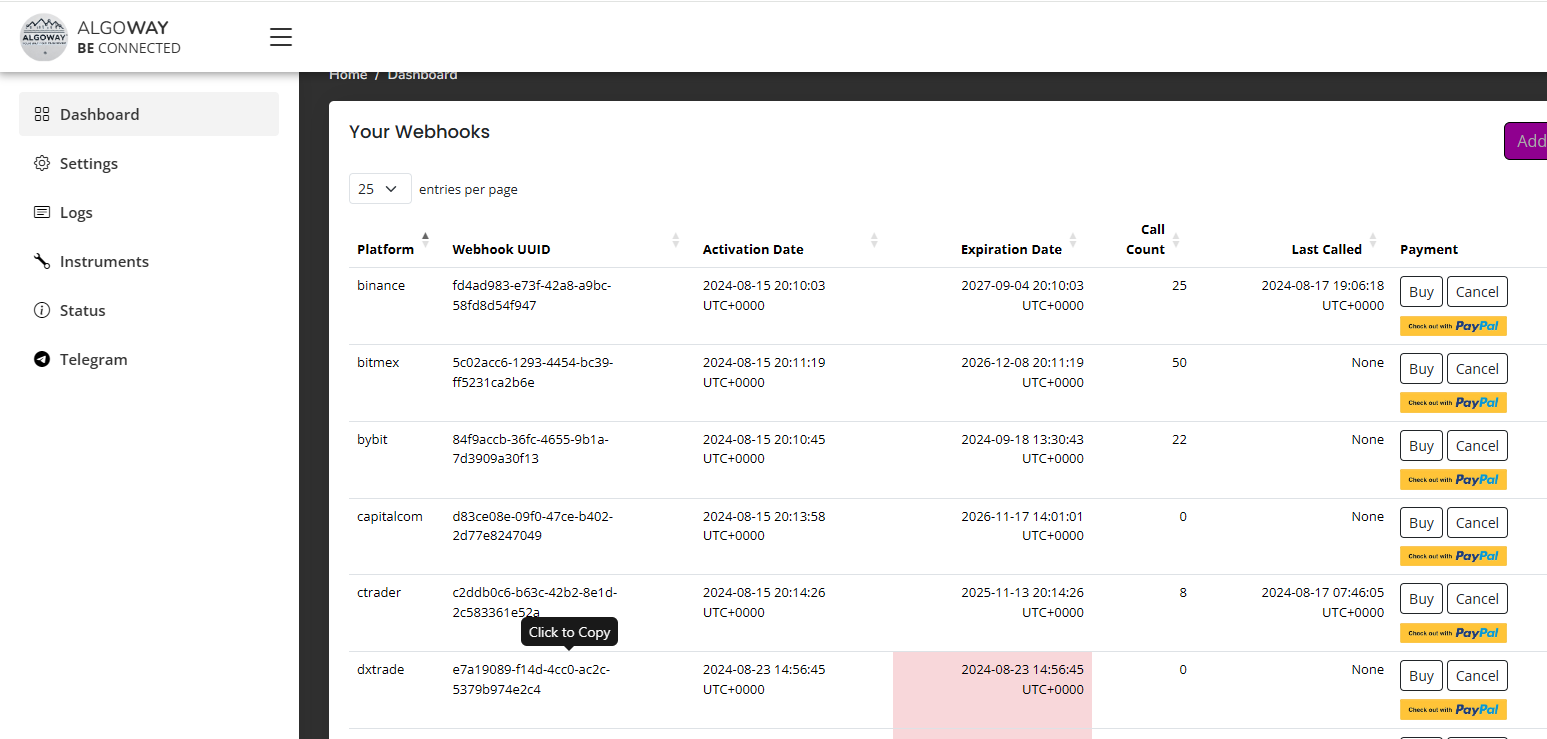
- Go to the Dashboard tab.
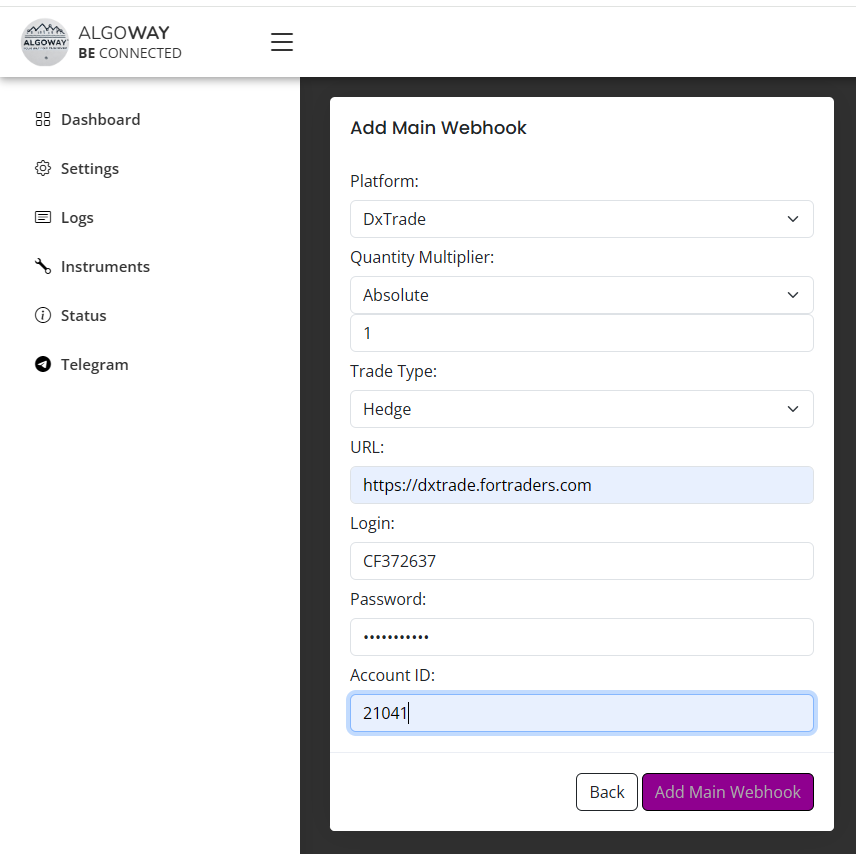
- Click the Add Trial Webhook button (for a trial webhook) or Add Main Webhook (for a main webhook).
- Configuring webhook parameters:
- Platform: Select DxTrade from the dropdown menu.
- Quantity Multiplier: Select Absolute and set the multiplier to 1.
- Trade Type: Choose Hedge.
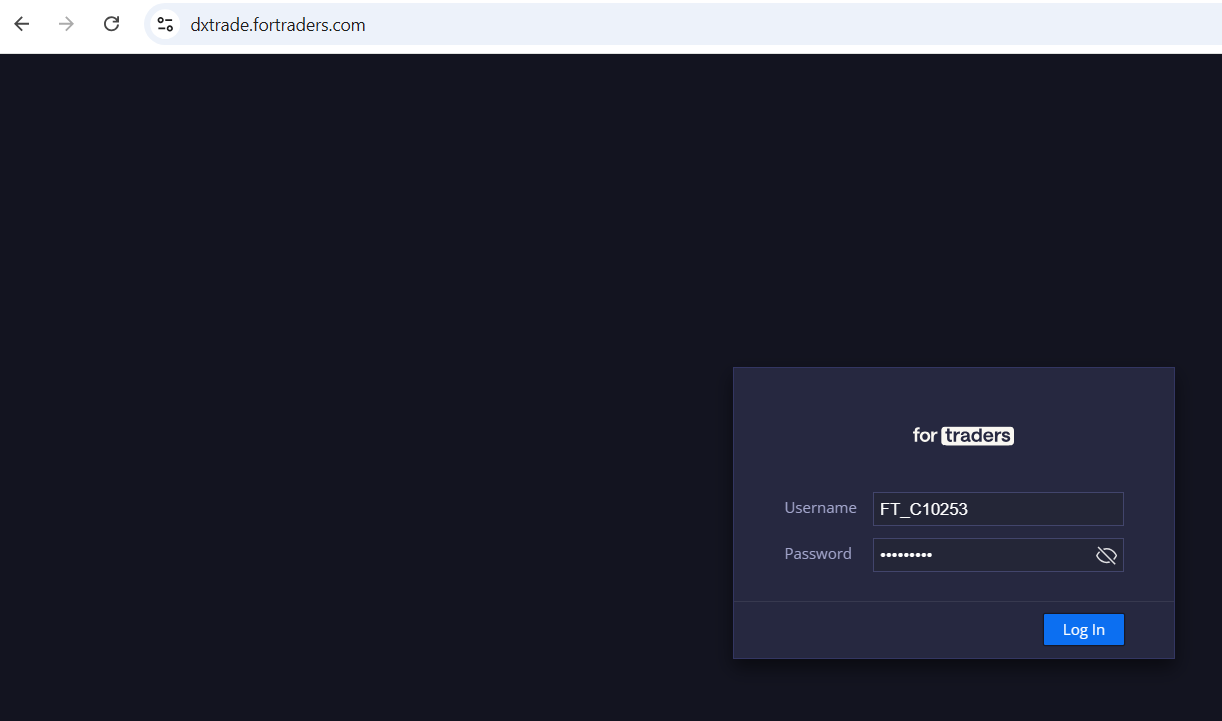
- URL: Enter the DxTrade URL, e.g.,
https://dxtrade.fortraders.com. - Login: Enter your DxTrade login (e.g., FT_C10253).
- Password: Enter your DxTrade password.
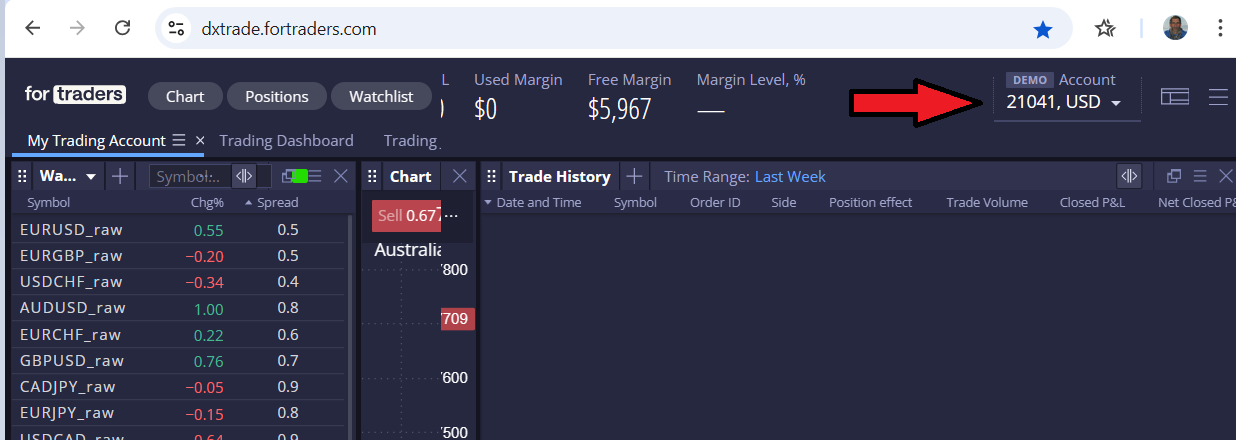
- Account ID: Find your Account ID on the DxTrade platform in the top-right corner after logging in.
- Saving the webhook:
Click Add Trial Webhook or Add Main Webhook to save. The webhook will then appear in the list on the Dashboard panel.
Step 2: Configuring TradingView to Work with the Webhook
- Opening a chart:
Go to TradingView and select the chart of the instrument you want to work with.
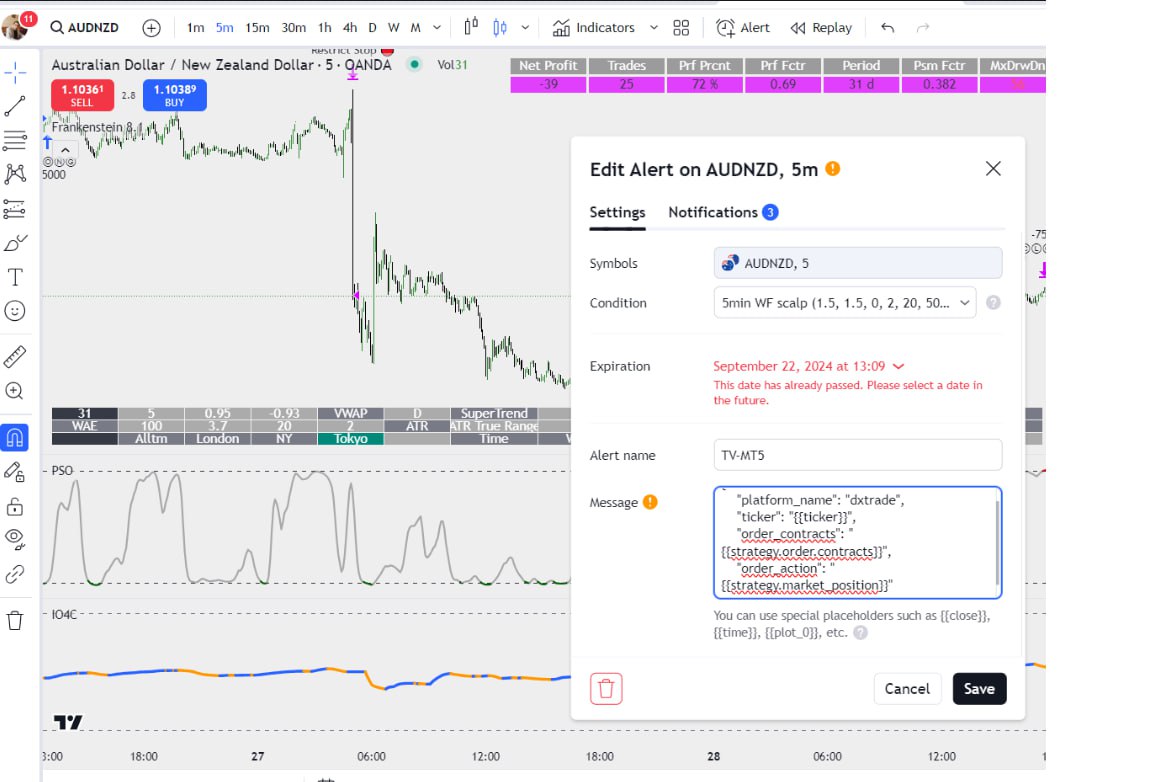
- Creating an alert:
- Right-click on the chart and select Add Alert.
- Alternatively, click on the bell icon in the top toolbar.
- Configuring the alert:
- In the Condition section, set the parameters for the alert (e.g., crossing a price level).
- Make sure the correct time frame is selected for the chart.
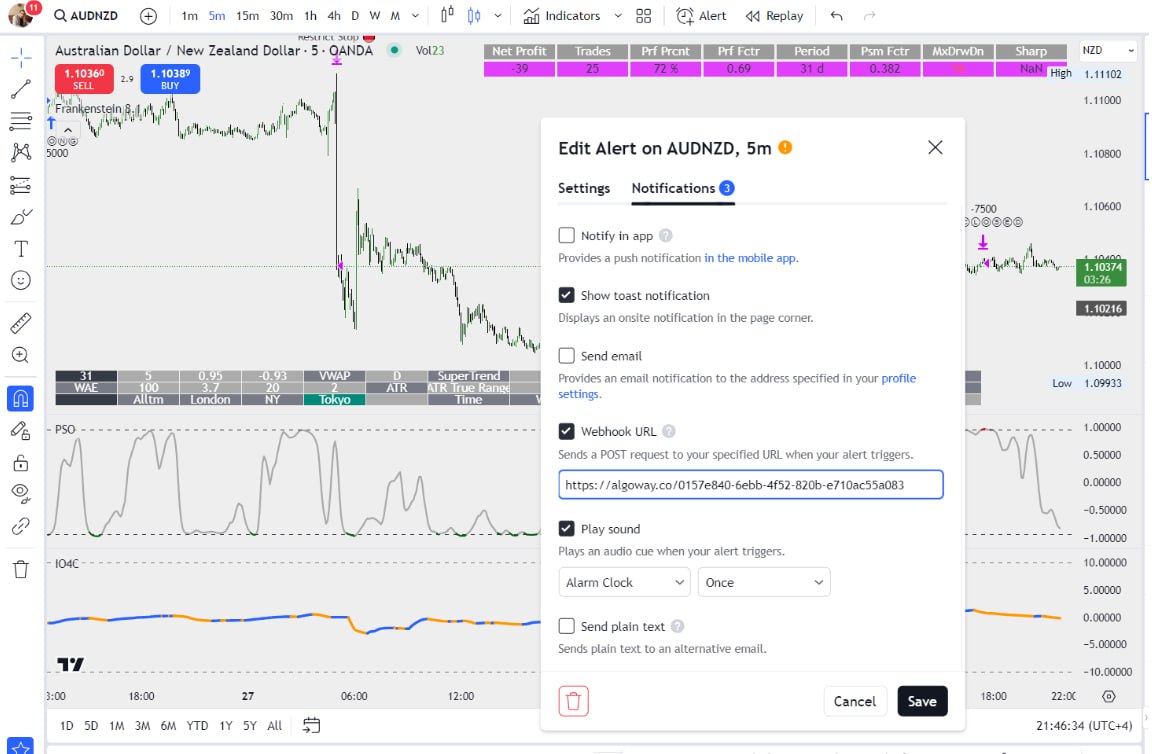
- Adding the Webhook URL:
Enable the Webhook URL option. Copy the URL from your AlgoWay webhook (e.g.,
https://algoway.co/xxxxx-yyyyy-zzzzz) and paste it into the Webhook URL field. - Webhook message:
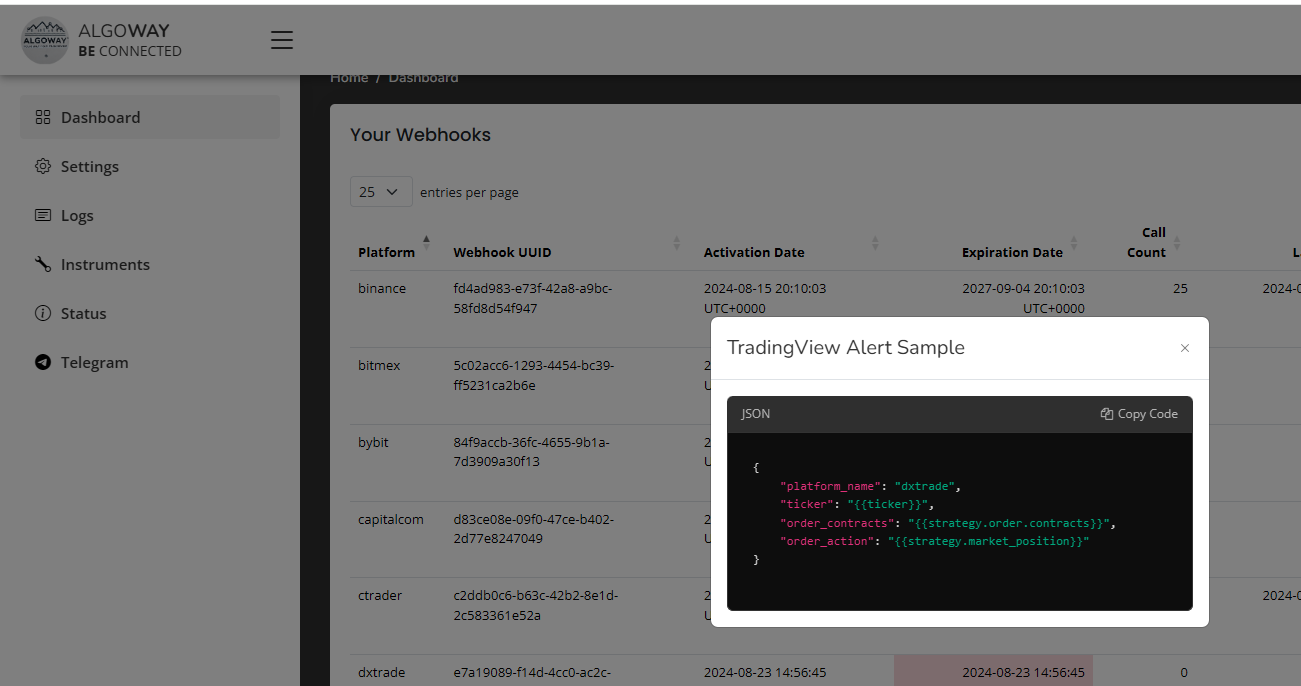
In the Message section, enter the JSON message:
                                {
                                "platform_name": "dxtrade",
                                "ticker": "{{ticker}}",
                                "order_contracts": "{{strategy.order.contracts}}",
                                "order_action": "{{strategy.market_position}}"
                                }
Use TradingView parameters for automatic value substitution (e.g.,
{{ticker}}will insert the current instrument's ticker). - Saving the alert:
Click Create to save the alert.
Step 3: Verifying Connection and Functionality
- Go to the Logs section on the AlgoWay website to check if messages are being received from TradingView.
- Ensure the webhook is active in the Your Webhooks section.
- Verify functionality on DxTrade, where trades created via the webhook should appear.
Your webhook is now configured, and you can use it for automated trading through TradingView and DxTrade!