AlgoWay Blog
Guides, manuals and platform references.
Core
- All articles
- FAQ
- PineConnector alternative
- TradersPost alternative
- Automate TradingView alerts
- Automate Telegram signals
- AlgoWay CopyTrader
- cTrader Copier
- TrendSpider with AlgoWay
- How to Automate a TradingView Indicator with Dynamic SL/TP and 1% Risk on MT5
JSON & Alerts
- JSON schema
- Manual alerts
- TradingView without paid subscription
- AlgoWay Strategy Integration in Pine Script
- Python Trading Bot Webhook Integration
- TRALADAL - TradingView Alert Adapter
- TradingView Order Action Alert
MT5 / Expert Advisors
Errors
Integrations
- MetaTrader 5
- Tradovate
- TradeLocker
- Match-Trader
- DXtrade
- Capital.Com
- Binance
- Bybit
- MEXC
- OKX
- Bitget
- Hyperliquid
- BingX
- Alpaca
- Interactive Brokers
- Gate.io
- Coinbase
- TooBit
- WEEX
- ProjectX
- Rithmic
- cTrader logic
Other Publications
- MT5 EA Webhook JSON Reference
- OANDA MT5 with AlgoWay
- Buy Webhook via Buy Me a Coffee
- AlgoWay vs PineConnector
- Compare AlgoWay with other trading automation tools
- AlgoWay Red News Filter
- Why Paid Trading Indicators Avoid Verifiable Backtests
- How Trade Automation Tools Mislead You
- utomating a Prop-Firm Eval End to End:
- ATP Premium Indicator Testing Bot
- Why TradingView Backtests Win but Live Trades Lose
- Best Prop Firms for Trading Automation and Telegram Signal Copy in 2026
- Four AIs, One Trader, and the Strange Case of TradingView to Alpaca
- TradingView Automation
AlgoWay Strategy Lab
Pine Script Session Timezones: Chart Clock and DST Rules
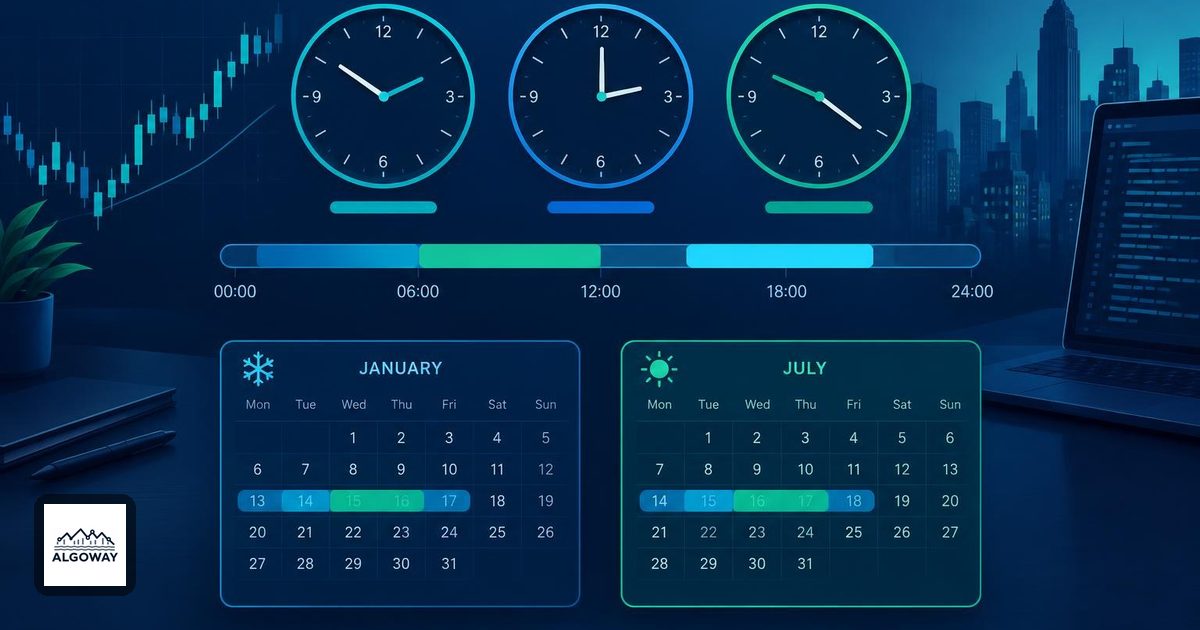
A session filter that is an hour wrong can still look perfectly tidy. The candles line up, the code runs, and the strategy trades the wrong part of the day with admirable consistency.
Pine normally interprets a session in the symbol's exchange timezone, unless the function call supplies a timezone explicitly. The clock selected on the TradingView chart is a separate display setting. Start with that distinction before moving a session boundary to compensate.
Decide which clock owns the rule
TradingView distinguishes the exchange timezone, available as syminfo.timezone, from the chart timezone. Pine cannot read the chart's timezone setting. Changing that setting changes displayed times, not the script's calculations. The official time documentation explains these separate roles.
| Intended rule | Timezone choice | What to check |
|---|---|---|
| Follow the current symbol's exchange clock | Default timezone, or syminfo.timezone | Changing symbols may change the exchange timezone. |
| Follow New York local business hours | America/New_York | The UTC equivalent changes with daylight saving time. |
| Follow an unchanging UTC schedule | UTC+0 | Local wall-clock hours may shift seasonally. |
A fixed offset such as UTC-5 is not a year-round substitute for New York. IANA region names account for daylight saving changes. For example, 09:30 New York corresponds to 14:30 UTC at UTC-5 and 13:30 UTC at UTC-4. Those are clock conversions, not two different trading rules.
Make the session and weekdays explicit
This small Pine v6 illustration shades bars whose opening time belongs to a weekday New York window:
//@version=6
indicator("Weekday NY session window", overlay = true)
string window = "0930-1600:23456"
bool inside = not na(time(timeframe.period, window, "America/New_York"))
bgcolor(inside ? color.new(color.teal, 88) : na)
In a session string, 1 means Sunday and 7 means Saturday, so 23456 selects Monday through Friday. Omitting the day suffix applies the window every day. time() returns na outside the specified session. See TradingView's session-string reference.
This is an illustrative filter, not a tested trading strategy. It has no entry, exit or alert command. A weekday clock window is also not a holiday calendar or a guarantee that the destination market is open. Use the broker's actual schedule when deciding whether orders may be sent.
A bar can straddle your cutoff
On an hourly chart, a session ending at 11:30 may include the bar opening at 11:00 even though the chart bar closes at 12:00. TradingView documents that time() and time_close() construct their own session-based bar representations; the latter can report 11:30 for that final session bar. It does not make the chart candle close early.
Align session boundaries with chart-bar boundaries where possible. Separately decide whether your rule concerns a bar's opening time, the signal calculation time or the eventual fill. An opening-time filter alone does not promise execution before the session ends. The strategy alert timing guide covers that next step.
Check the rule before reconnecting alerts
- Write down the intended clock, weekday set, timeframe and cutoff behavior. “Morning session” is not precise enough.
- On an intraday chart, inspect the highlighted opening and final bars on dates in both standard and daylight time. Compare their UTC times with their local times.
- Change only the chart display timezone. The highlighted bars should stay attached to the same events. Then change the symbol and check whether an exchange-default rule still expresses your intention.
- Check dates near clock changes and market holidays separately. Inspect the actual alert and fill times before treating the session filter as an execution limit.
TradingView's time and session FAQ provides additional session-filter examples. After changing a script's session inputs, follow the guide to replacing alerts with old settings. A corrected chart is useful evidence; it is not evidence that an already running alert has adopted the correction.
