AlgoWay Blog
Guides, manuals and platform references.
Core
- All articles
- FAQ
- PineConnector alternative
- TradersPost alternative
- Automate TradingView alerts
- Automate Telegram signals
- AlgoWay CopyTrader
- cTrader Copier
- TrendSpider with AlgoWay
- How to Automate a TradingView Indicator with Dynamic SL/TP and 1% Risk on MT5
JSON & Alerts
- JSON schema
- Manual alerts
- TradingView without paid subscription
- AlgoWay Strategy Integration in Pine Script
- Python Trading Bot Webhook Integration
- TRALADAL - TradingView Alert Adapter
- TradingView Order Action Alert
MT5 / Expert Advisors
Errors
Integrations
- MetaTrader 5
- TradeLocker
- Match-Trader
- DXtrade
- Capital.Com
- Binance
- Bybit
- MEXC
- OKX
- Bitget
- Hyperliquid
- BingX
- Alpaca
- Interactive Brokers
- Gate.io
- Coinbase
- WEEX
- ProjectX
- cTrader logic
Other Publications
- MT5 EA Webhook JSON Reference
- OANDA MT5 with AlgoWay
- Buy Webhook via Buy Me a Coffee
- AlgoWay vs PineConnector
- Compare AlgoWay with other trading automation tools
- AlgoWay Red News Filter
- Why Paid Trading Indicators Avoid Verifiable Backtests
- How Trade Automation Tools Mislead You
- utomating a Prop-Firm Eval End to End:
- ATP Premium Indicator Testing Bot
- Why TradingView Backtests Win but Live Trades Lose
- Best Prop Firms for Trading Automation and Telegram Signal Copy in 2026
- Four AIs, One Trader, and the Strange Case of TradingView to Alpaca
AlgoWay Strategy Lab
Bybit Full vs Partial TP/SL: AlgoWay Settings and Fixes
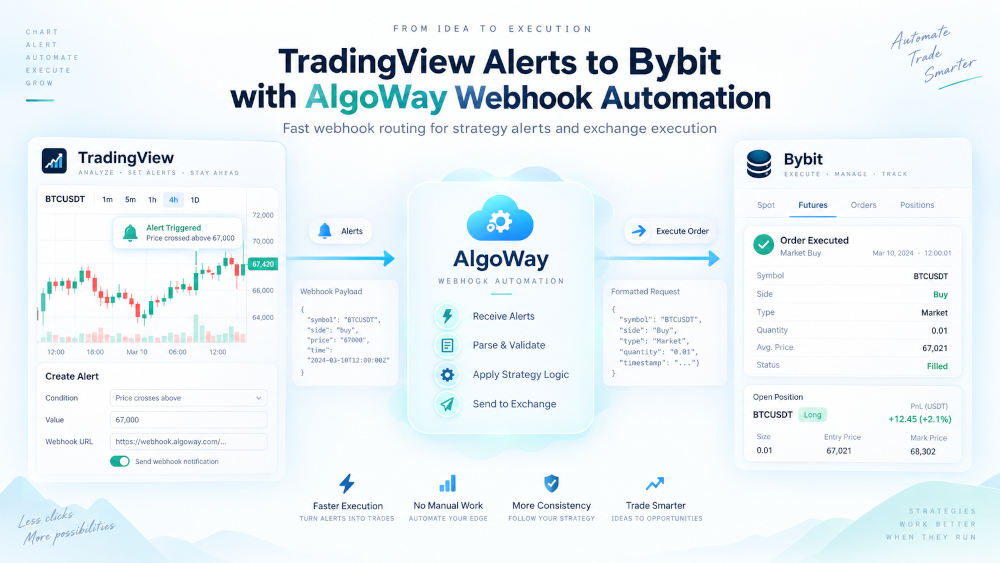
Two buy alerts can leave you with one Bybit position and several take-profit and stop-loss orders. The entries have joined the same position, but their exit instructions need not join them. That distinction explains a good deal of apparently untidy order history.
AlgoWay supports both Partial and Full TP/SL for its Bybit linear futures route. Choose TP/SL Mode in the Bybit webhook settings. Partial attaches protection to the entry quantity; Full applies protection to the whole position on that side. The current modify command requires Full mode. This guide covers those exit controls, rather than Spot trading or initial API setup.
Verified: September 24, 2026, against the current AlgoWay connector and Bybit documentation.
One position, several exit instructions
Suppose two same-direction entries fill for 0.004 BTC and 0.006 BTC. Bybit shows a combined 0.010 BTC position. With Partial TP/SL, the first entry can have protection for 0.004 BTC and the second for 0.006 BTC, at different prices. Seeing two sets of exits does not, by itself, mean the entry was duplicated.
With Full TP/SL, the protection applies to the position as a whole. A later entry carrying new full-position exit prices can change the protection for the accumulated position. Full is therefore a different exit policy, not merely a tidier way to display the same orders.
| Question | Partial | Full |
|---|---|---|
| What does protection cover? | The quantity associated with an entry. | The whole position on the selected side. |
| Can successive entries retain different exits? | Yes, multiple partial TP/SL instructions can coexist. | Full-position protection uses position-wide levels. |
| Can AlgoWay modify the position's TP/SL? | The current connector rejects this operation. | Yes, using order_action: "modify". |
| What is the default in AlgoWay? | Partial is the default. | Select Full explicitly in the route settings. |
Bybit documents the distinction in its TP/SL explanation. Its order API specifies that Partial protection uses the quantity actually filled; Full TP/SL uses market exits.
Where to select the mode in AlgoWay
- Open the settings for the Bybit webhook you intend to use.
- Find TP/SL Mode and choose Partial or Full.
- Save the route. Check that the alert is addressed to that same webhook.
This setting is available when adding a Bybit webhook and when editing one. The connector reads the saved route setting. Adding Bybit's native tpslMode property to an AlgoWay alert is not the supported way to override it.
Keep TP/SL Mode separate from Trade Mode. Hedge and Reverse govern how the connector handles position direction; Full and Partial govern the scope of protection. Choosing Full does not turn a hedge account into a one-way account. For connection prerequisites, use the Bybit setup guide.
Changing an existing stop or target
Set the route to Full before using modify. For a long position, a message with absolute prices can look like this:
{
  "platform_name": "bybit",
  "ticker": "BTCUSDT",
  "order_action": "modify",
  "close_side": "long",
  "sl_price": 81000,
  "tp_price": 87000
}
These are illustrative prices, not current market levels or a trade recommendation. Replace them with valid levels for the position and market. The command changes protection on an existing position; it does not open a new one. In Hedge mode, close_side identifies the position to modify. AlgoWay requires it when both long and short positions are open.
If Partial is still selected, AlgoWay rejects the request with an explanation that Bybit modification requires Full mode. If no matching position exists, there is nothing to modify. Bybit's Set Trading Stop API distinguishes modifying Full protection from adding Partial protection; these are different operations.
Percentage distances use the current quoted price. In the current AlgoWay Bybit connector, stop_loss and take_profit with sltp_type: "percent" are converted from the last market price fetched while processing the request. This also applies to percentage-based modify requests. Selecting Full does not make those percentages follow the position's average entry price automatically. Use sl_price and tp_price when your strategy has already calculated exact levels.
Trailing protection follows a separate path: when trailing_pips is supplied, the connector uses Full position protection and suppresses the fixed stop-loss price. Its distance is the supplied value multiplied by the instrument's tick size. Test trailing separately from a fixed SL; including both does not create two independent stops.
What the 20-TP/SL error actually means
Bybit error 110061 identifies the limit of 20 TP/SLs under Partial mode. It does not establish a limit of 20 open positions across your account, nor a universal limit of 20 ordinary orders. Other order limits are separate. Check the actual error code before redesigning your strategy around a number mentioned in a support conversation. See Bybit's current API error reference.
When this error appears, inspect the affected symbol's existing conditional exits as well as its position. Decide whether the strategy needs separate exits for successive entries or one set of position-wide levels. Full is appropriate only if its position-wide behavior matches that design.
Saving Full in AlgoWay is not a migration of existing Bybit orders. Bybit can reject TP/SL mode changes while linked take-profit, stop-loss, or trailing orders exist, including errors 110054, 110055, and 110056. Review existing protection before changing it. Do not remove working stops simply to clear an error without a plan for protecting the remaining position.
A partial close is not Partial TP/SL mode
An immediate reduction and a resting take-profit order are different instructions. You can ask AlgoWay to close part of the current position with flat, regardless of whether the route's protection is Full or Partial. The current Bybit connector supports percentage-based flat in Hedge and Reverse modes; it rejects flat in Opposite mode.
For a Hedge route, this message requests a market reduction of 50% of the current long position:
{
  "platform_name": "bybit",
  "ticker": "BTCUSDT",
  "order_action": "flat",
  "order_contracts": 50,
  "order_size_type": "position_percent",
  "close_side": "long"
}
Here, 50 means 50%, not 50 BTC. AlgoWay calculates the quantity from the current position, rounds it down to the instrument's quantity step, and checks the minimum. A small position can produce a close quantity below that minimum. Without close_side, a percentage close in Hedge mode can affect both open sides.
The closing order uses reduceOnly. A buy in the order history can therefore be a reduction of a short position, rather than a new long entry. Check the remaining position size and the order's purpose together.
This payload acts when received. It does not schedule “close half when price rises 2%.” If TradingView owns that condition, it must send the close alert when the condition occurs. A second 50% close acts on what remains, not on the original entry size. The strategy alert and partial-exit guide explains how to distinguish exit instructions from ordinary buy and sell alerts.
Verify protection after the change
Use a Bybit Demo route to test the exact sequence your strategy will send. Start with two same-direction entries, inspect their TP/SL orders, then send a modification and a partial close. After each step, compare the AlgoWay execution result with the position and conditional orders in Bybit.
- Confirm the intended side and remaining quantity.
- Check the actual TP and SL prices, their mode, and the quantity they protect.
- Look for older Partial exits that remain alongside later instructions.
- Confirm that a rejected modification left protection in the state you expect.
Moving every exit into TradingView avoids creating those exchange-side Partial TP/SL orders, but it also makes the exit dependent on a later alert reaching execution. An accepted entry is not proof that a future close alert will arrive. Choose where protection lives deliberately, and inspect the exchange's orders before leaving the strategy unattended.
