NO CODE
Keep Your Indicator As Is
Use compatible public, protected or invite-only indicators without editing their Pine Script or building your own strategy.
Your TradingView indicator already shows trade signals. AlgoWay's free Chrome extension can turn compatible Entry, Stop Loss and Take Profit signals into webhook trading commands — without editing Pine Script or paying for TradingView's native webhook feature.
Use a compatible TradingView indicator. Keep Chrome and the chart open while monitoring.
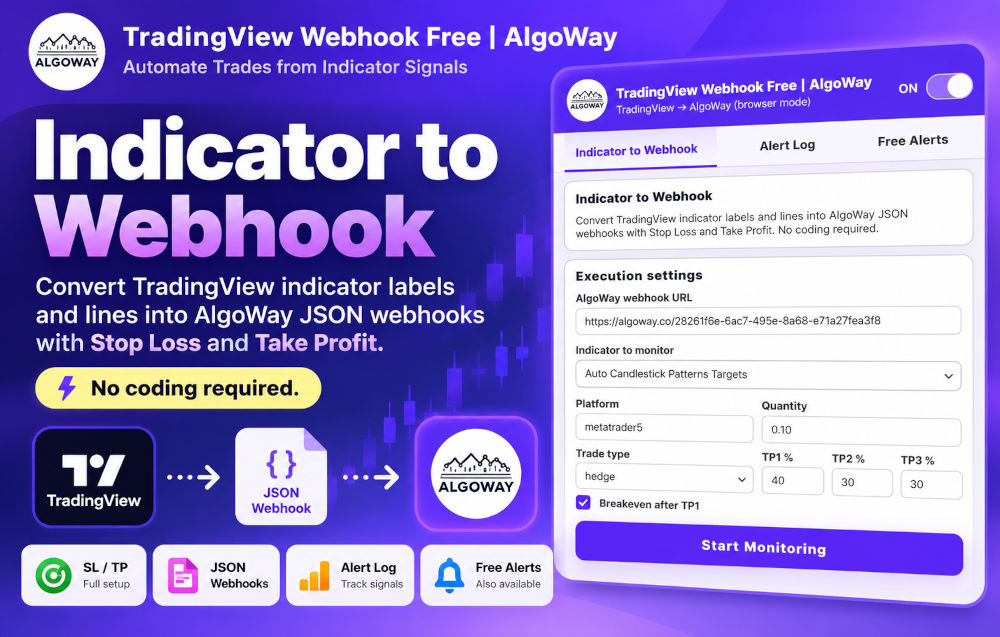
No need to recreate a strategy, reverse-engineer a protected script or ask its author for custom webhook alerts. When a compatible indicator exposes readable signals on the chart, the extension can connect that workflow to your AlgoWay trading destination.
Use compatible public, protected or invite-only indicators without editing their Pine Script or building your own strategy.
Detect supported chart signals with the Chrome extension instead of relying on TradingView's native webhook-alert feature.
Send structured trading instructions to your configured AlgoWay route, with Entry, Stop Loss and Take Profit information when available.
Your indicator produces the trading setup; AlgoWay handles the connection to your chosen supported execution platform. The extension is the bridge between the open chart and the webhook route.
Connect a supported TradingView indicator to AlgoWay destinations such as MetaTrader 5, TradeLocker, futures platforms or cryptocurrency exchanges, depending on your account and connector configuration.
Open a TradingView chart with a compatible indicator and install the AlgoWay extension.
Create an AlgoWay webhook and connect the trading platform where you want signals routed.
Select your indicator, configure trade settings, enable monitoring and verify the resulting orders on a demo account.
Need the exact settings? See the Indicator to Webhook setup documentation, including screenshots, compatibility checks and troubleshooting.
Not every TradingView indicator exposes information the browser can interpret. Compatibility depends on the actual signal format; test your chosen indicator first. Chrome, your chart and the network must stay available while the monitor runs.
Potentially, yes. If the indicator exposes readable signals compatible with the extension, you can automate it without changing its source code. Not all invite-only or protected indicators are supported.
No native TradingView webhook feature is required for the extension's Indicator to Webhook mode. It monitors supported chart signals in Chrome.
No. This is browser-based monitoring, not cloud hosting. Keep Chrome and the relevant chart available to continue detecting signals.
Yes, through an appropriately configured AlgoWay destination connector. The platform, symbol, account permissions and available order types determine actual execution.
Keep the indicator you trust. Connect supported signals to AlgoWay without writing Pine Script or paying for native TradingView webhooks. Test the complete trade route before switching to live funds.
Learn more: TradingView Automation · Free TradingView Webhook Alerts
