TradingView
Your strategy or indicator generates a structured alert message.
Connect TradingView alerts to your broker's MetaTrader 5 account through AlgoWay Cloud MT5. Run a hosted terminal, configure EA 2.21 trading rules and monitor execution from one workspace — without installing MT5 on your own computer.
One connected trading account per access. Broker credentials and a TradingView webhook alert are required.
TradingView creates the alert. AlgoWay receives the webhook and delivers its trading instruction to the EA running inside your hosted MT5 terminal. The connected broker performs the final order execution.
Your strategy or indicator generates a structured alert message.
The Cloud MT5 webhook receives and routes the instruction.
AlgoWay Cloud MT5 keeps the terminal and Expert Advisor together.
Orders are subject to broker permissions, volume rules and market conditions.
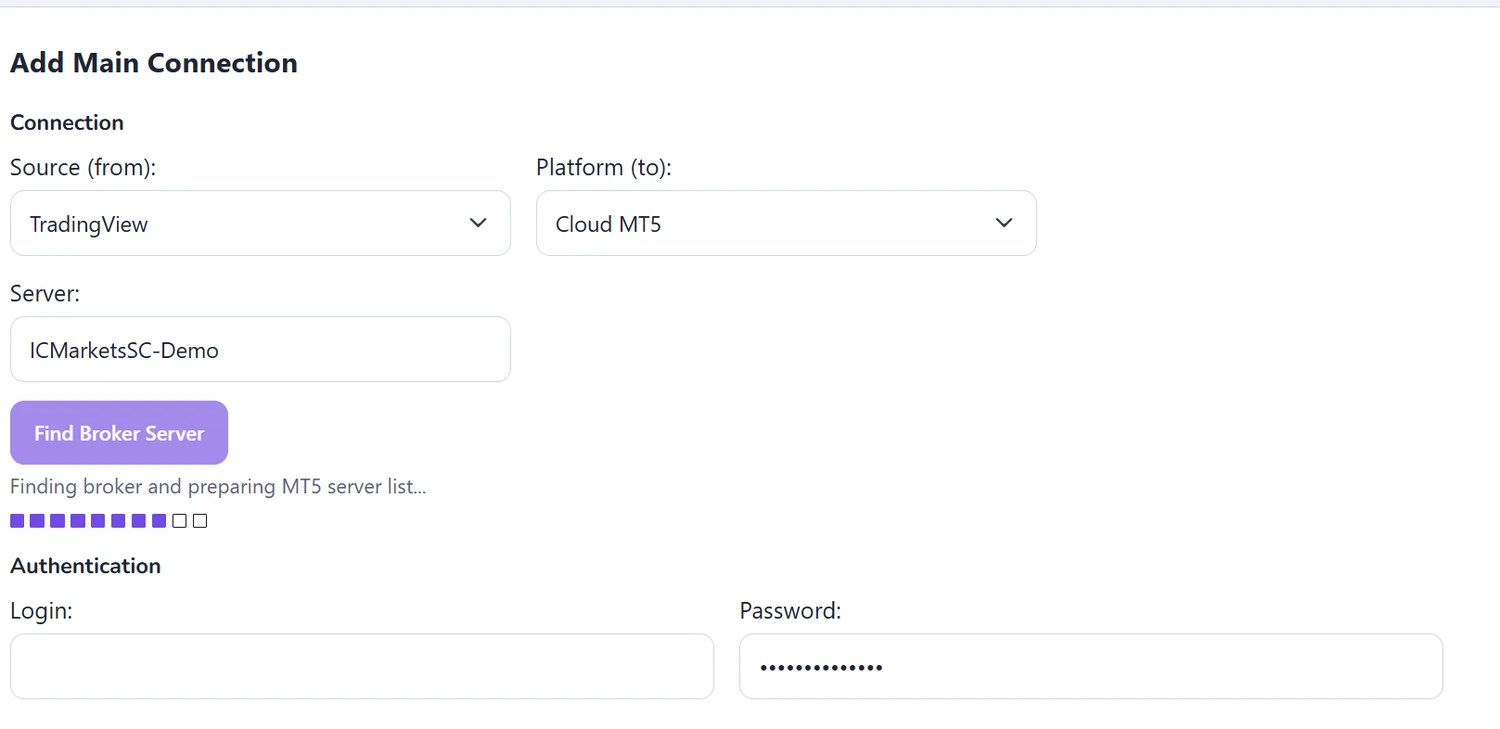
Create an AlgoWay connection with TradingView as the source and Cloud MT5 as the destination. Enter the exact broker server name, verify it with Find Broker Server, then supply your MT5 login and password.
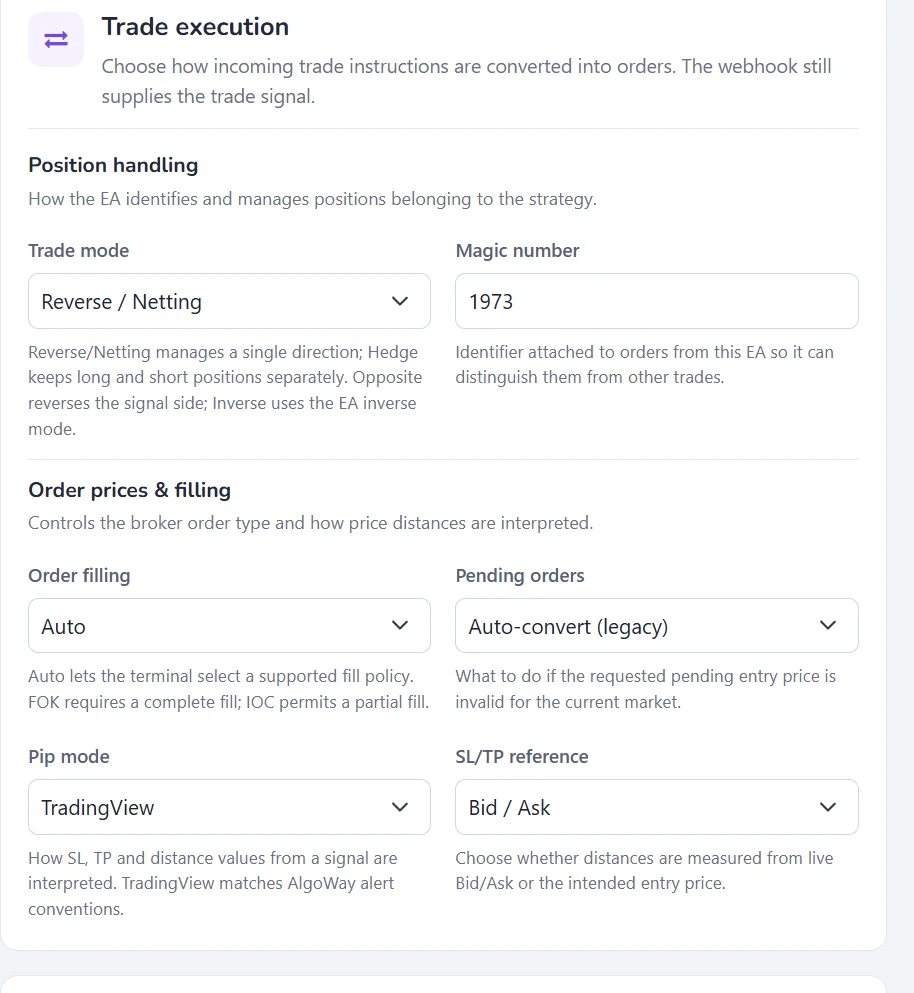
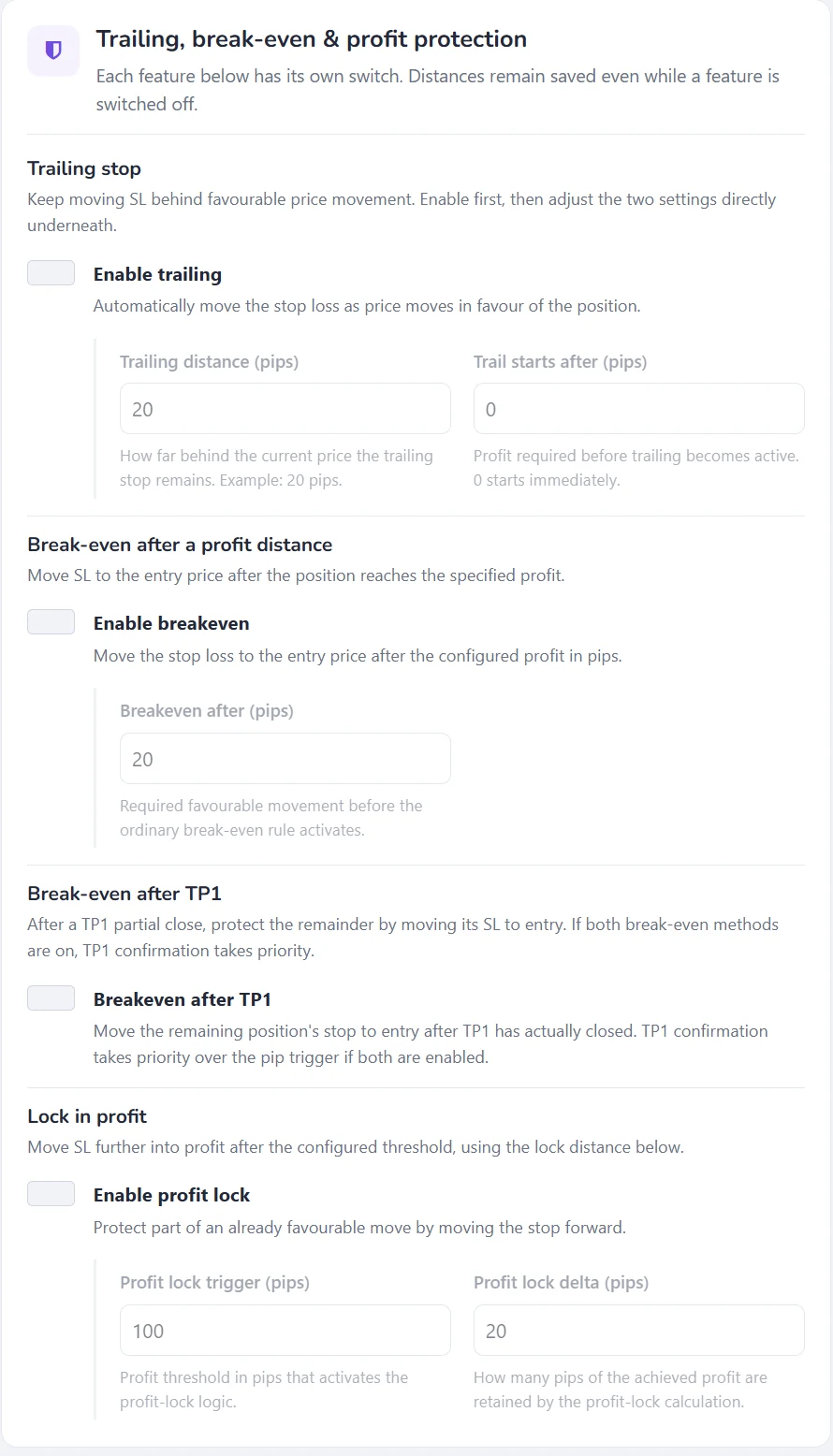
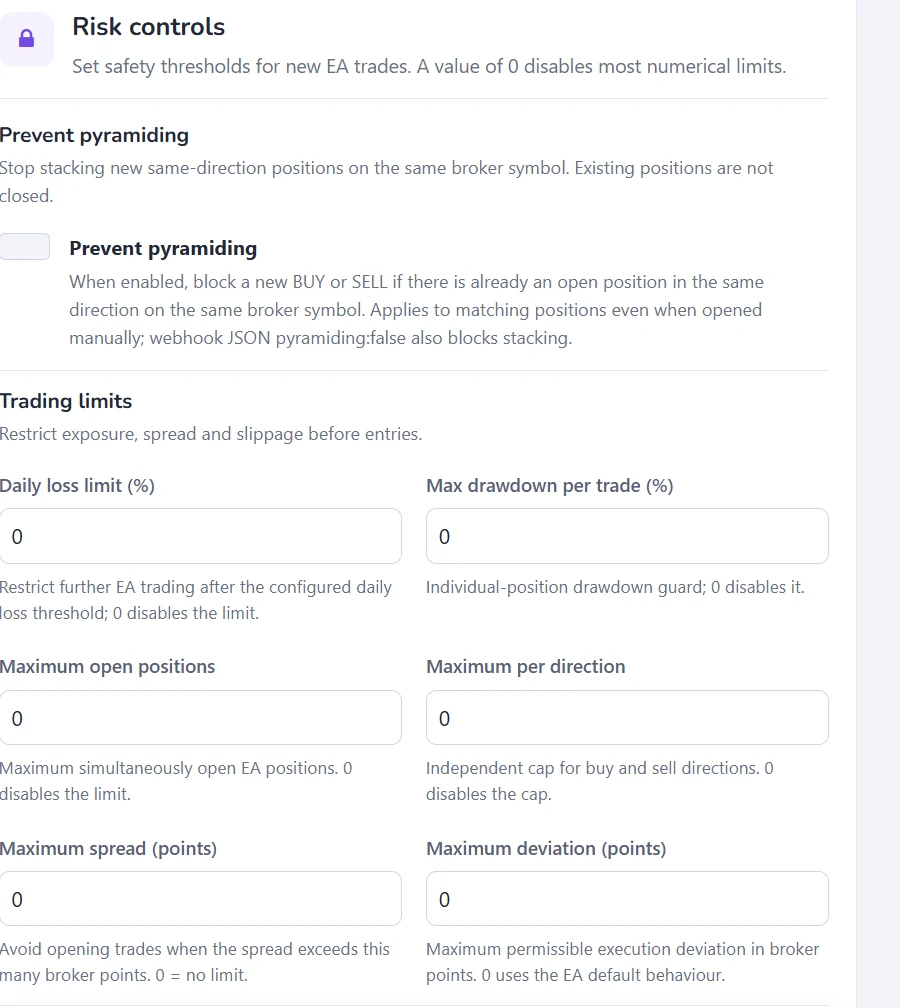
The Automation Settings page stores your preferred trading behaviour. Choose trade handling, position sizing and broker execution policies, then enable only the protections your strategy needs.
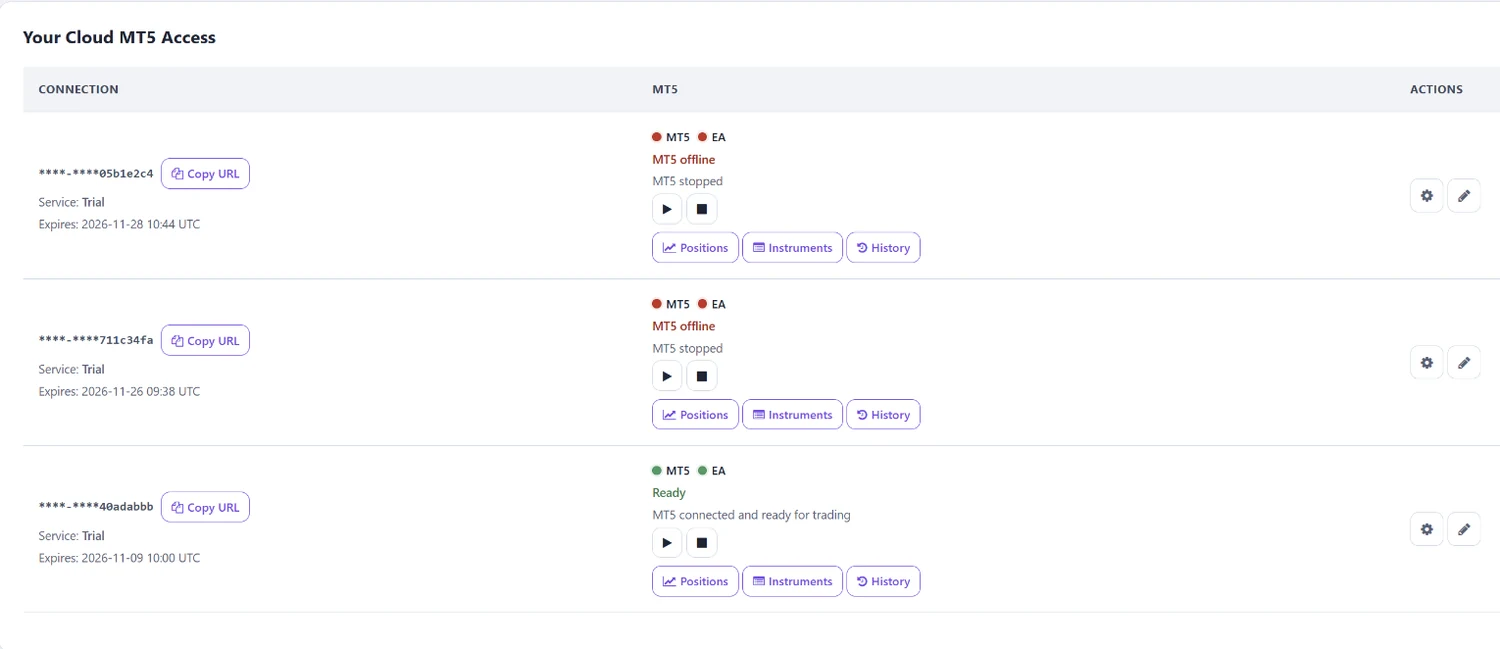
The Cloud MT5 dashboard shows separate health indicators for MT5 and the EA. Start or stop the terminal and open its position report, available instruments or trade history.
A received webhook is not proof of a filled broker order. Confirm the resulting MT5 position and trade history.
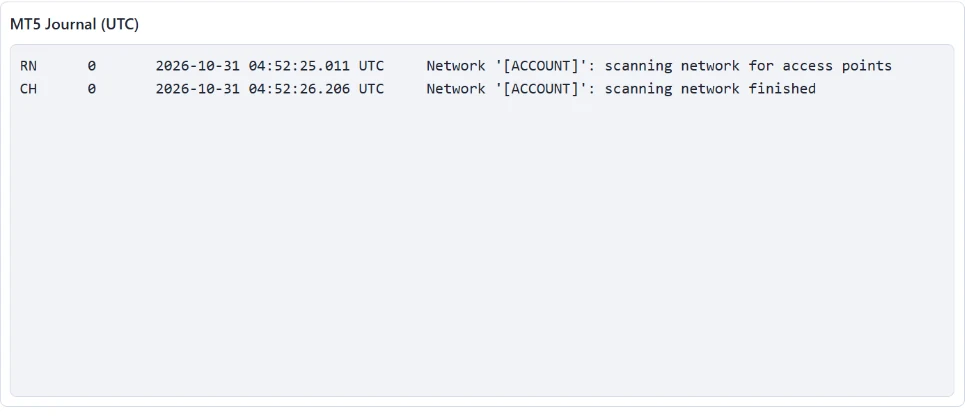
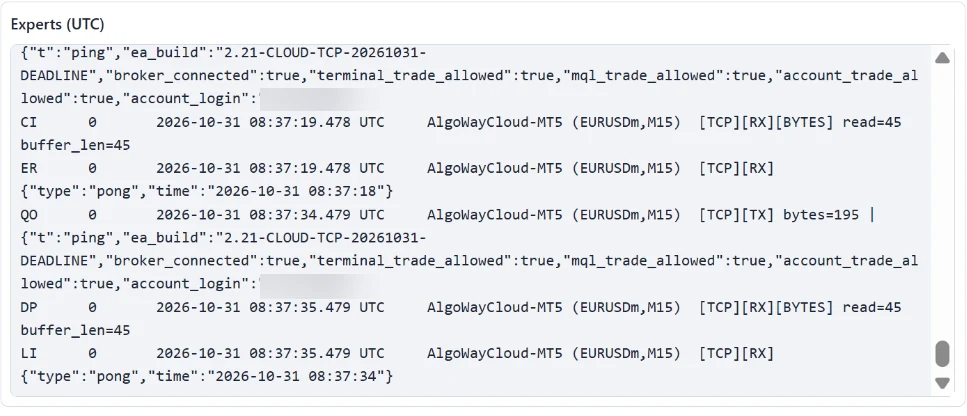
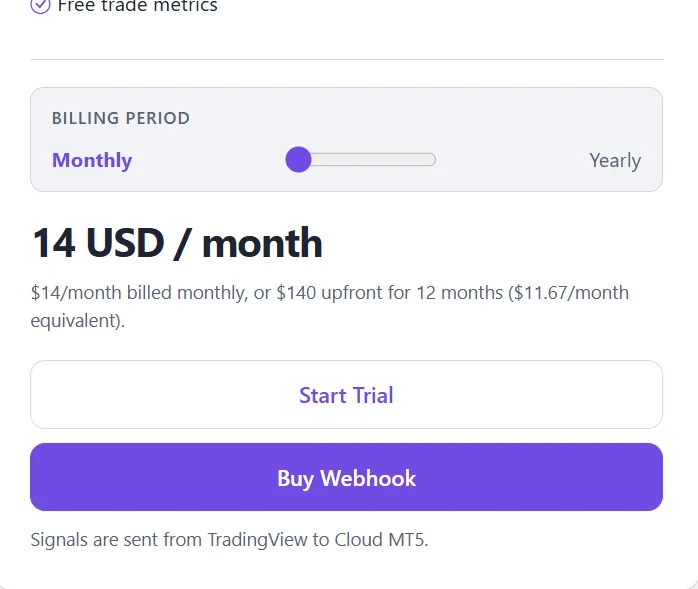
Each Cloud MT5 webhook gives you access for one trading account, full logs and trade metrics. Choose monthly billing or pay for a full year, then configure the broker and terminal through your AlgoWay workspace.
Or $140 billed annually — approximately $11.67/month.
Choose Cloud MT5 in the storeTrial availability is subject to the one-trial-per-platform restriction shown in the workspace.
No local installation is required for this Cloud MT5 workflow. The hosted terminal and AlgoWay Cloud EA are provisioned for your connection.
You enter your MT5 login, password and exact broker server. Confirm that your broker supports automated trading and the account can log in before running a demo alert.
Yes. Cloud MT5 exposes EA 2.21 automation settings including trade modes, position sizing, trailing stops, up to four take-profit levels, session rules and risk controls.
Settings are saved immediately but apply on the next Start MT5. Saving alone does not restart a running terminal.
Telegram notification preferences appear in the interface, but actual bot delivery is not yet available. The bot-token field is disabled.
The displayed Cloud MT5 webhook plan provides access for one trade account. Separate accounts require their own configured access.
Connect your broker, make sure MT5 and the EA are ready, and verify your first order's symbol, lots and SL/TP before you automate live trading.